ActiViz 9.6 Release
Kitware is pleased to announce the release of ActiViz 9.6.2026.225, the latest version of Kitware’s .NET/C# wrapper for the Visualization Toolkit (VTK). In addition to the key improvements provided by VTK 9.6.0, this version further strengthens support for various Graphical User Interface (GUI) frameworks such as Avalonia and WPF.

ActiViz
ActiViz is a .NET wrapper for the Visualization Toolkit (VTK) that enables advanced 2D and 3D scientific visualization capabilities to be used in C# and other .NET applications.
ActiViz interfaces with a wide range of Graphical User Interface (GUI) frameworks, including Windows Forms, Windows Presentation Foundation (WPF), WinUI, Avalonia, and the Unity software. It allows to quickly develop production-ready, interactive 3D applications in the .NET environment, now including web browsers.
For concrete examples, please see Activiz in Action.
VTK 9.6.0
Based on VTK 9.6.0, this new ActiViz version provides significant performance optimizations, improved rendering capabilities, and numerous bug fixes. Check the VTK 9.6.0 blog post for more information.
Avalonia: Hardware picking
The Avalonia rendering control has been enhanced with improved management of the OpenGL context, ensuring more reliable integration of VTK with Avalonia’s rendering lifecycle. It now supports VTK’s hardware picking mechanism, enabling efficient and accurate selection of objects directly on the GPU. This allows applications to perform interactive picking operations with significantly improved performance compared to software-based approaches.
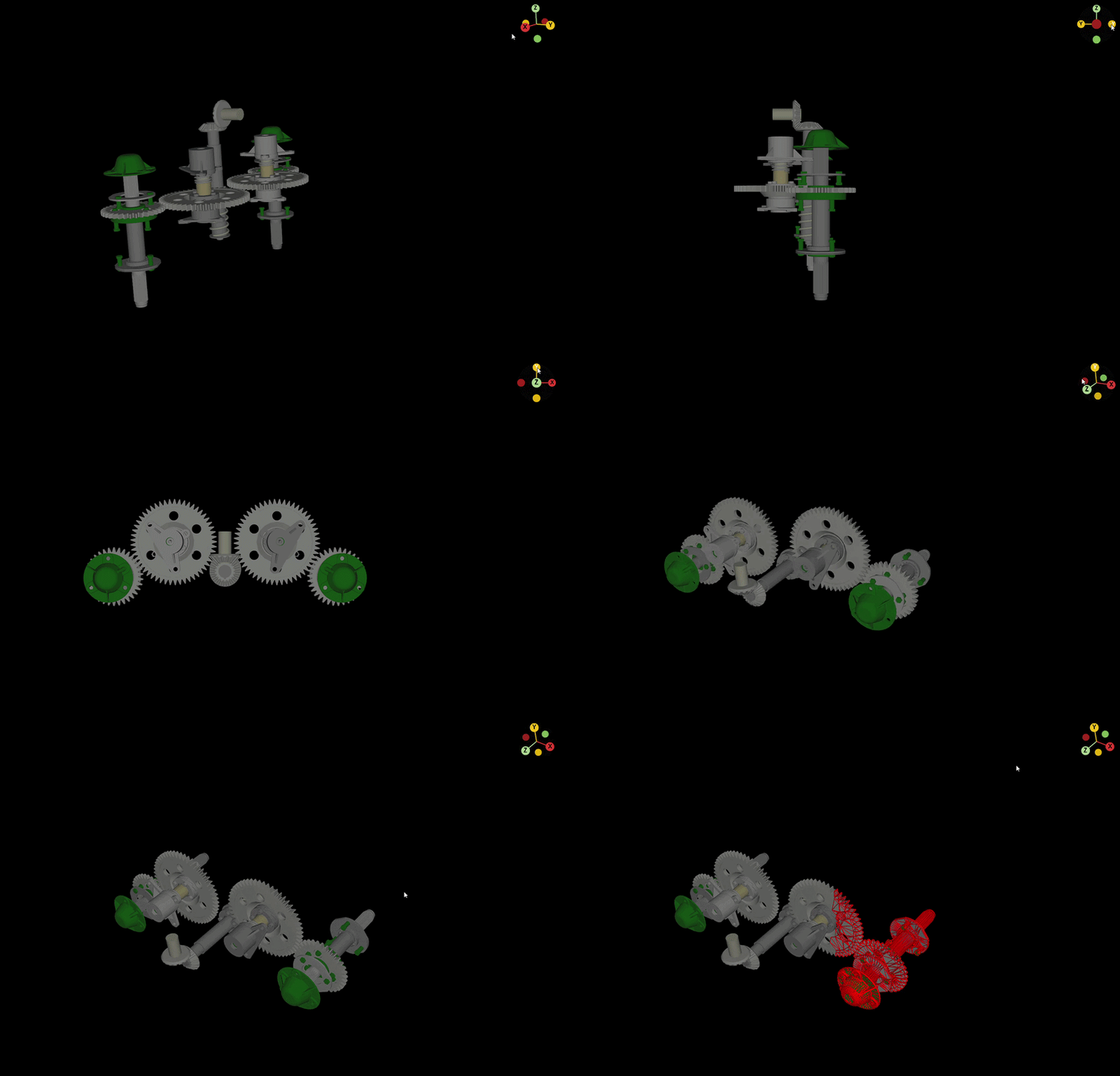
(Model: KhronosGroup/glTF-Sample-Models/GearboxAssy)
These improvements complement the broader work on Avalonia integration, alongside ongoing work to expand capabilities such as running Avalonia applications with VTK in WebAssembly (WASM) environments.
WPF native support improvements
Building on the native WPF rendering support introduced in earlier versions, the latest improvements further expand the capabilities of the control to handle more advanced usage scenarios. In particular, the native render window control has been refined to improve robustness in real-world environments, including better behavior when applications are accessed through remote desktop sessions and fixes for rendering issues that could occur during system events such as screen locking or unlocking. These updates make the WPF integration more stable and suitable for demanding production workflows.
Support and Services
Request a trial version of ActiViz by filling out the form on the ActiViz website. As always, our team is available to support integration efforts, assist with feature adoption, and help tailor ActiViz to your application’s needs. Contact us if you would like to learn more about ActiViz or discuss how Kitware can support your project.

Learn how to confidently use ActiViz from the expert developers at Kitware.

Our experts can assist your team as you build your application and establish in-house expertise.

Leverage Kitware’s 25+ years of experience to quickly build your application.