Configuring OpenFOAM simulations with trame
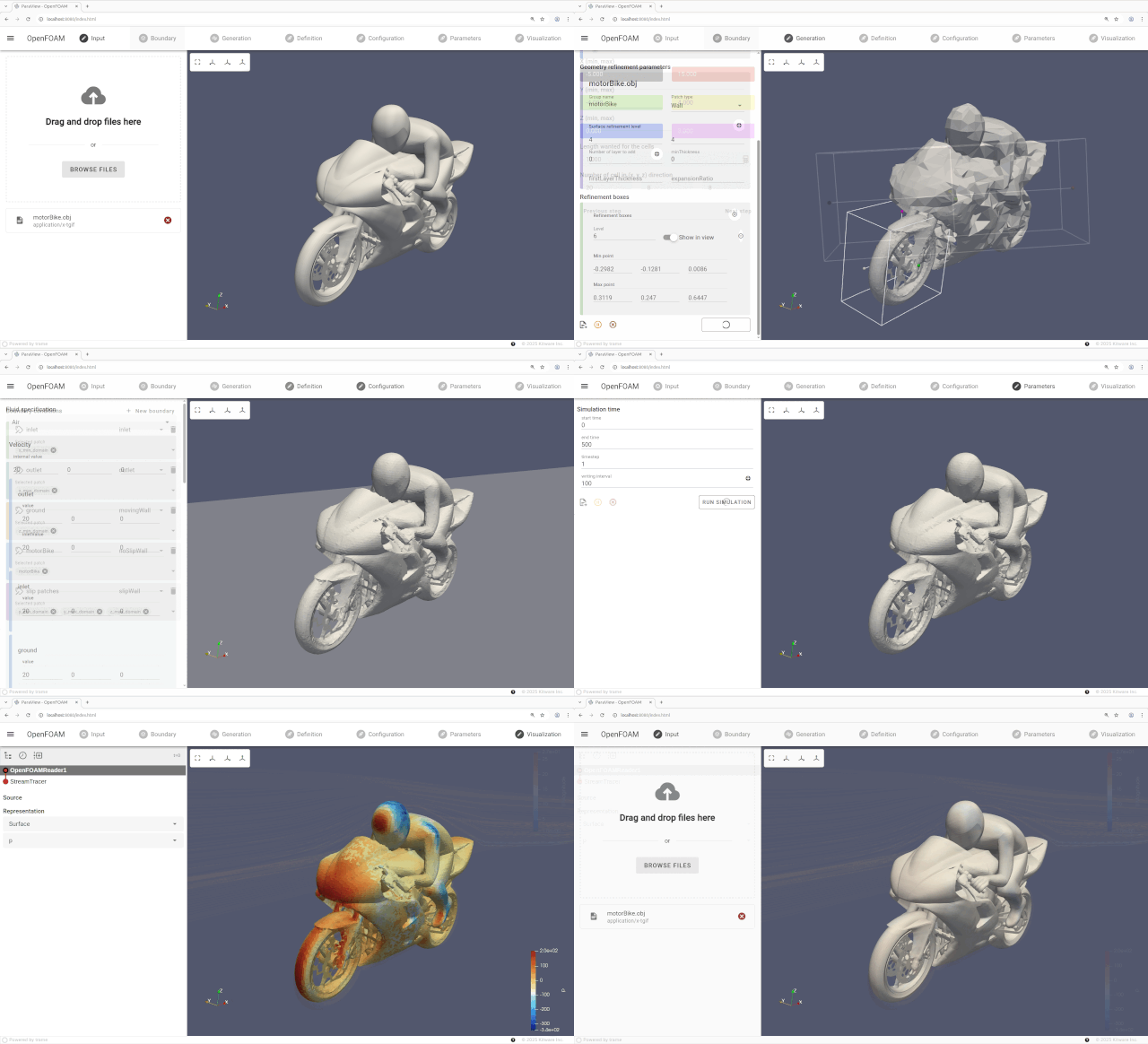
For engineers and researchers, ParaView is the go-to platform to explore and analyze simulation results from tools like OpenFOAM, ANSYS Fluent, COMSOL Multiphysics, and Code_Saturne… Configuring simulation solvers is a laborious and tedious task that typically consists of manipulating multiple text-based files and running several command-line executables from convenient scripts.
On the other hand, the trame framework lets Python developers efficiently build interactive visual analytics applications on the web. Trame can quickly create tailored workflows for very specific problem domains.
For these reasons, we created a demonstrator with trame to exhibit how Computational Fluid Dynamics (CFD) engineers can easily create their own application to configure in an interactive way their OpenFOAM settings, follow the simulation runs, post-process the outputs, and share them with their end-users.
OpenFOAM
OpenFOAM (Open Source Field Operation and Manipulation) is a comprehensive open-source toolkit for computational fluid dynamics, offering a wide range of solvers (executables) for specific CFD problems as well as utilities to process, analyze, and manipulate simulation data.
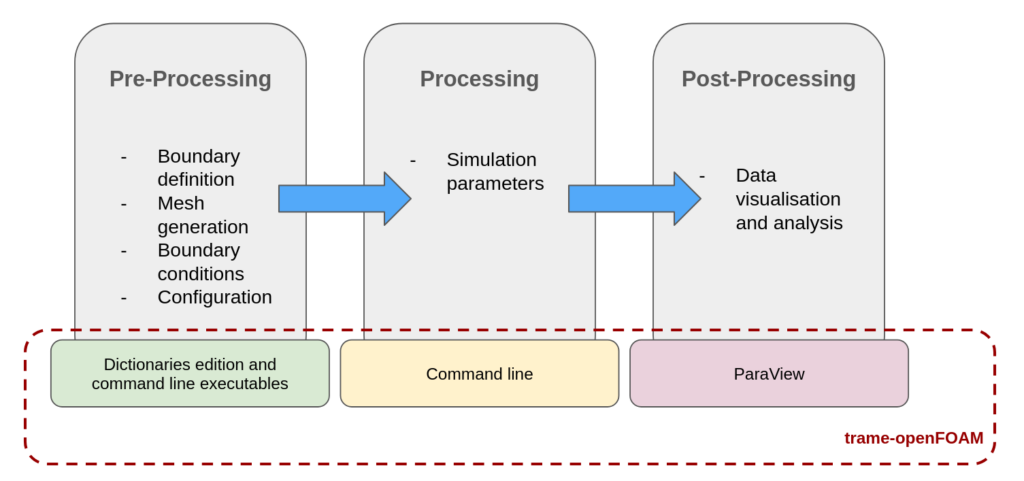
Running a simulation often means defining – sometimes hundreds of – parameters for each tool, from solver settings to boundary conditions and turbulence models. Engineers must manage multiple file types, versions, and folder structures.
To address these challenges, we developed a demo application designed to streamline the OpenFOAM workflow.
Demonstrator
The trame-OpenFOAM application allows CFD engineers to configure and monitor their simulations from a web interface, reducing the need to juggle dozens of files, parameters, and external tools. By centralizing setup, execution, and post-processing, the application makes it easier to focus on analysis and results rather than repetitive, error-prone tasks.
It is therefore possible to pre-process, process a simulation, and post-process the results, all in the same place and without editing dictionaries directly, launching executables manually…
Results
The application is workflow-based with a left panel to control the parameters of the current step and a 3D view to visualize and interact with the input mesh and step outputs. For the sake of the demonstration, we focused on steady-state, incompressible, turbulent flow simulation using the simpleFOAM solver. Paraview has been leveraged for its post-processing and rendering capabilities.
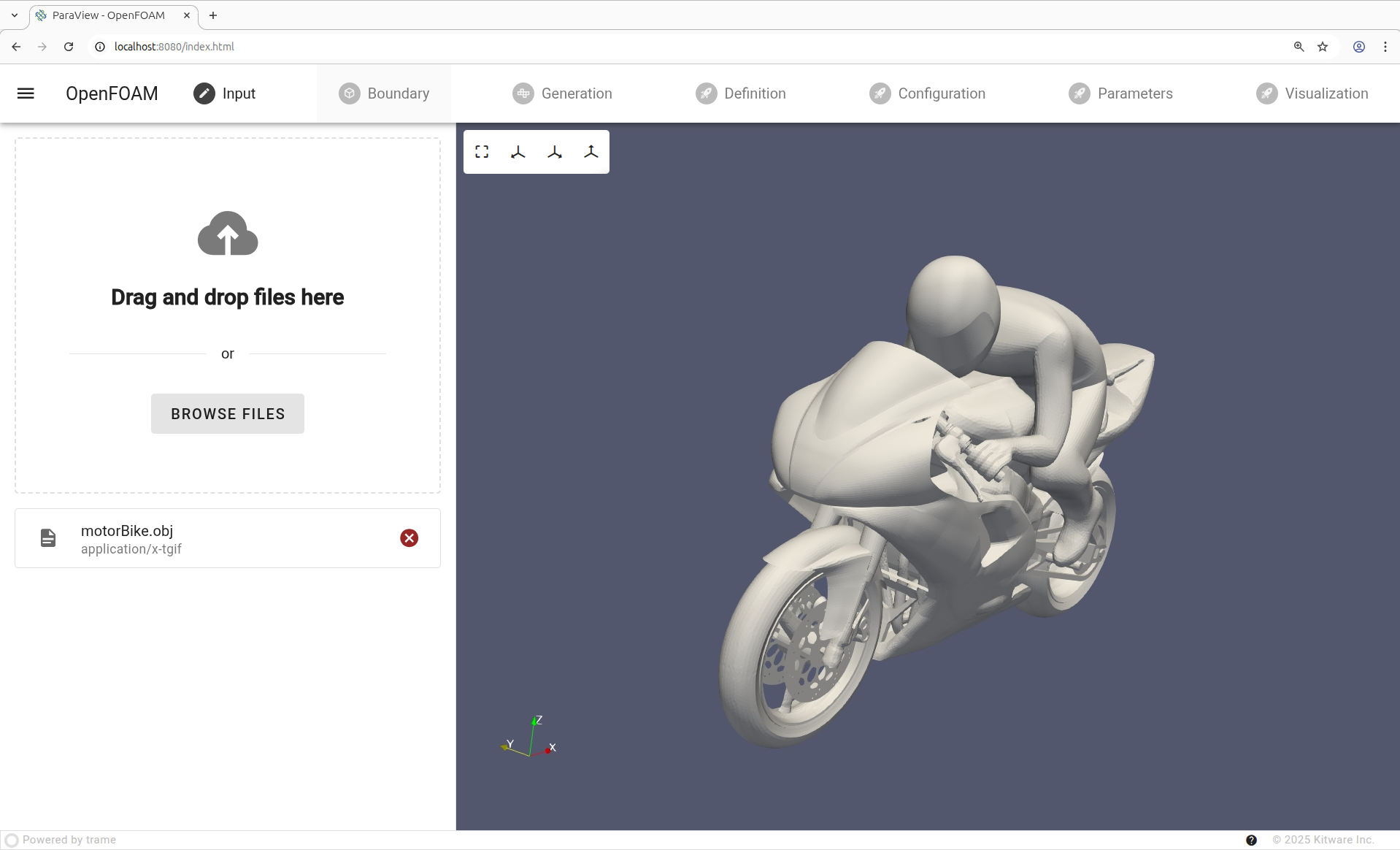
#1 – Load mesh
Imports the geometric representation of the domain’s boundaries—typically as a triangulated or quadrilateral surface—so it can be used to generate the volume mesh and apply boundary conditions for the simulation.
The STL file is uploaded from the user desktop onto the trame server.
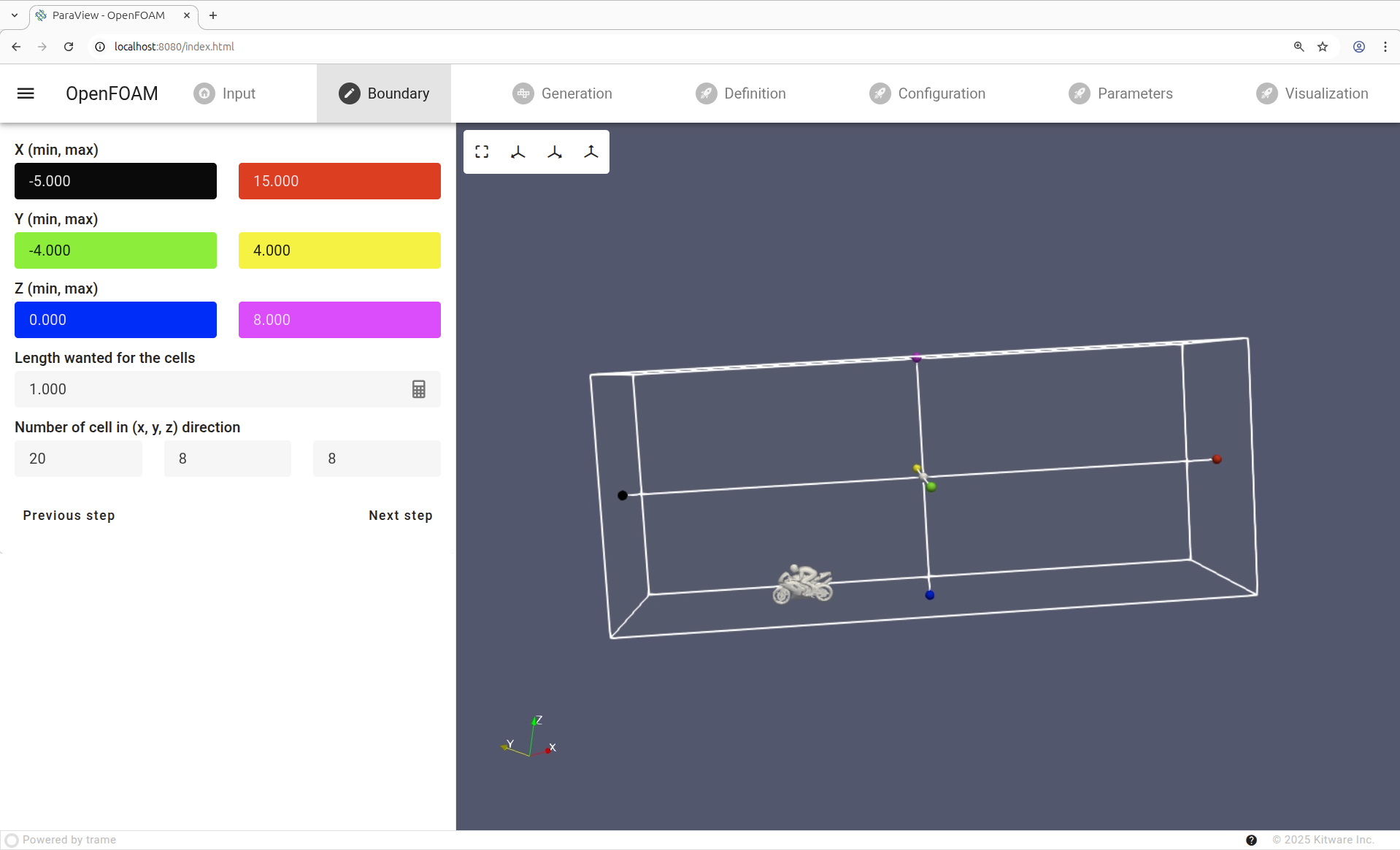
#2 – Domain limits
Sets the physical boundaries of the simulation region, specifying the extent of the fluid volume to be analyzed, which determines where boundary conditions are applied and ensures the solver focuses on the relevant part of the flow.
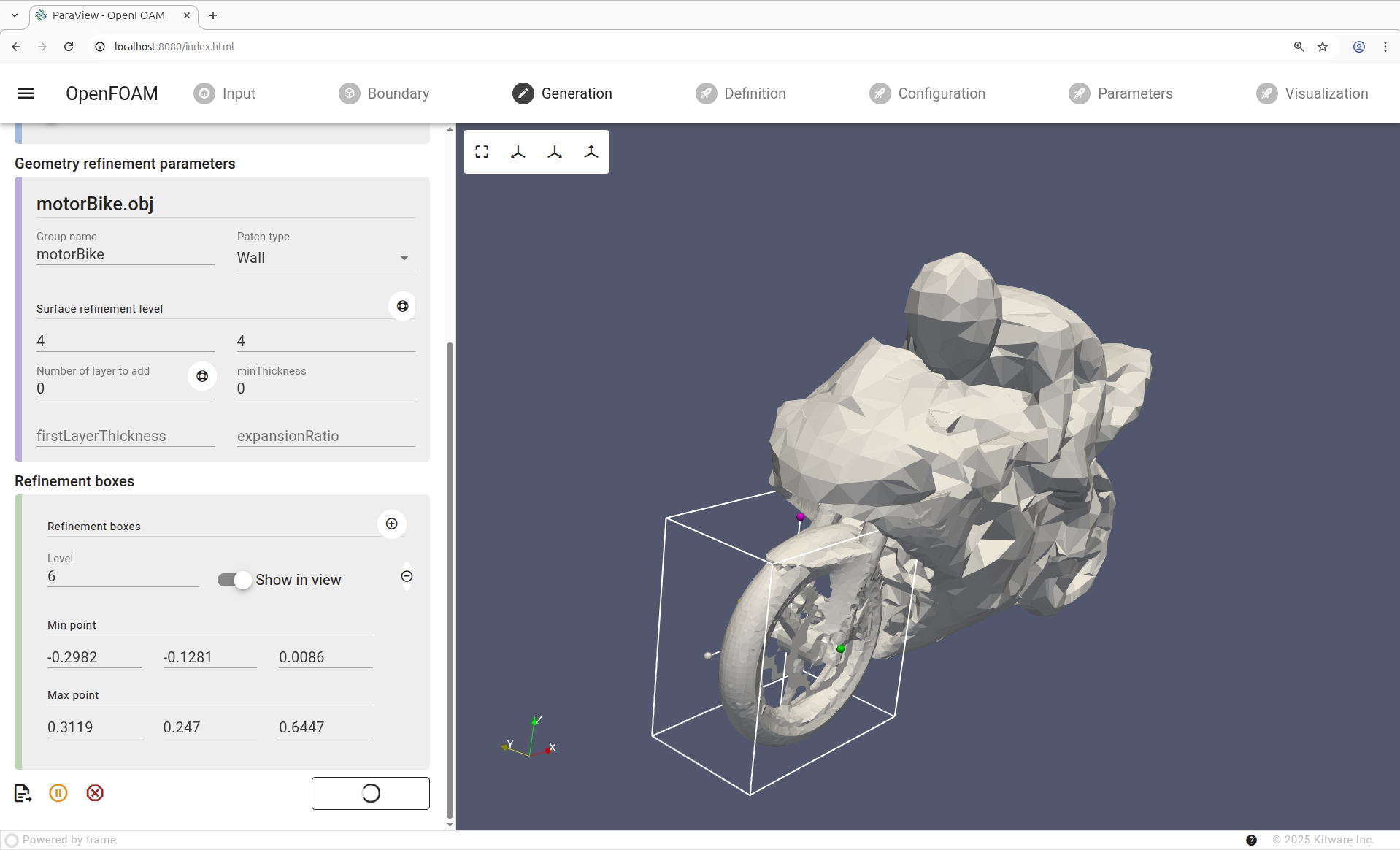
#3 – Generate volumetric mesh
Creates a grid with a regular, orderly arrangement of cells in a quadrilateral pattern. User specify surface refinements levels to control the mesh resolution near surfaces (like walls, boundaries, or geometrical features) where the flow exhibits strong gradients.
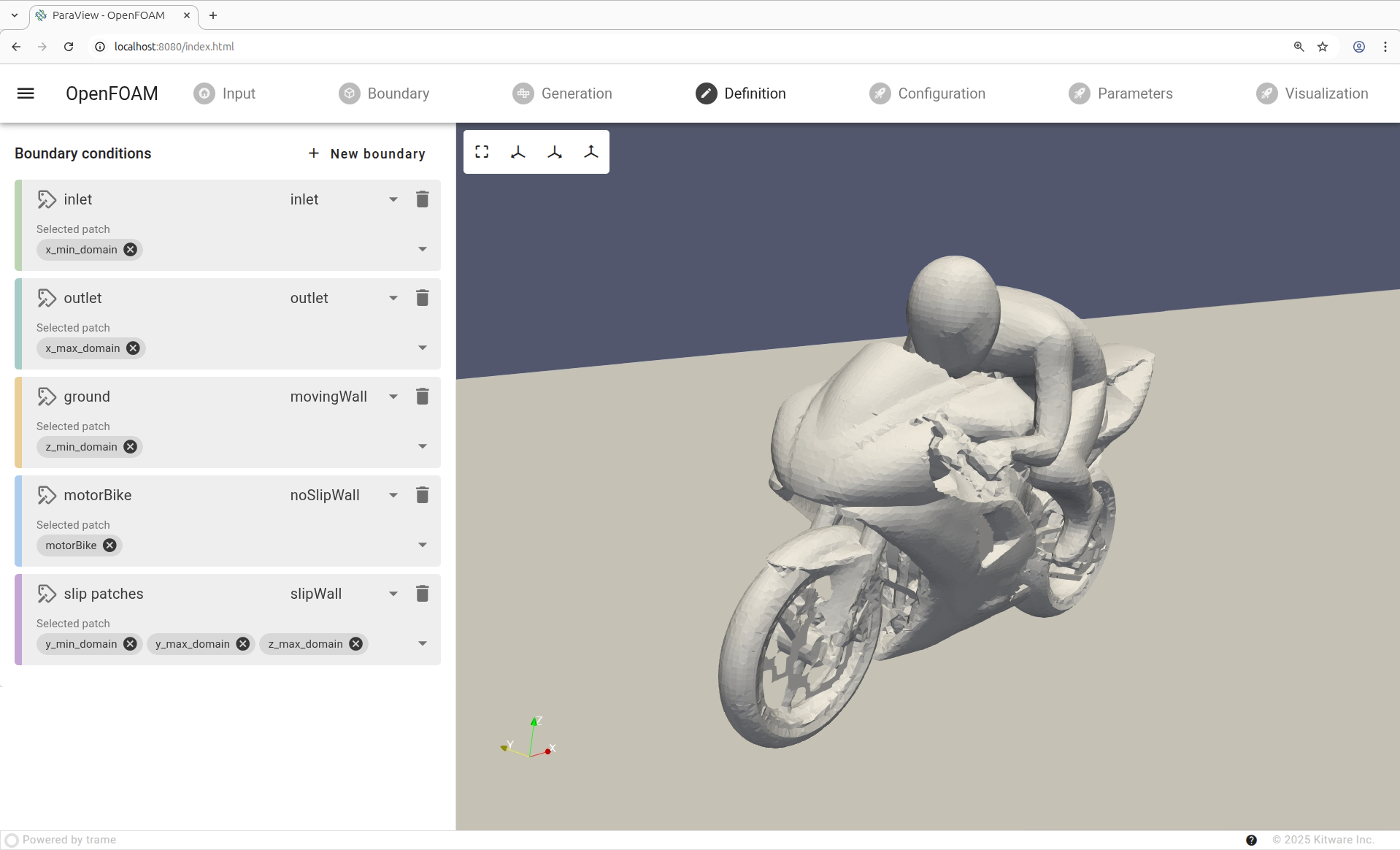
#4 – Boundary conditions
Boundary conditions describe how the flow behaves at the domain edges—specifying velocities, pressures, or temperatures at inlets, outlets, and walls—to ensure the solution is physically realistic and mathematically well-posed.
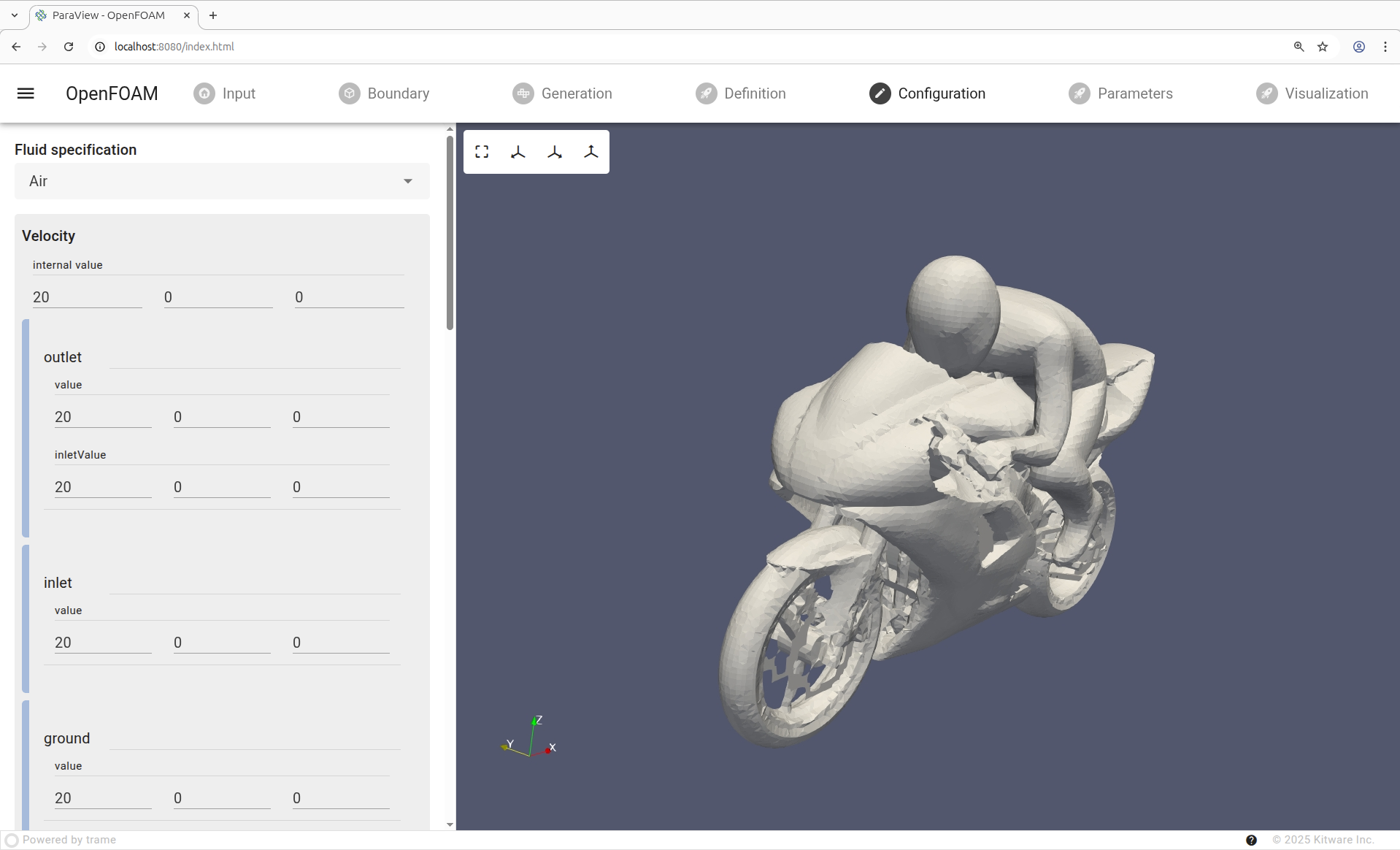
#5 – Fluid properties
Fluid properties describe the physical characteristics of the fluid, such as density, viscosity, thermal conductivity, and specific heat, which determine how it flows, transfers heat, and responds to forces within the simulation.
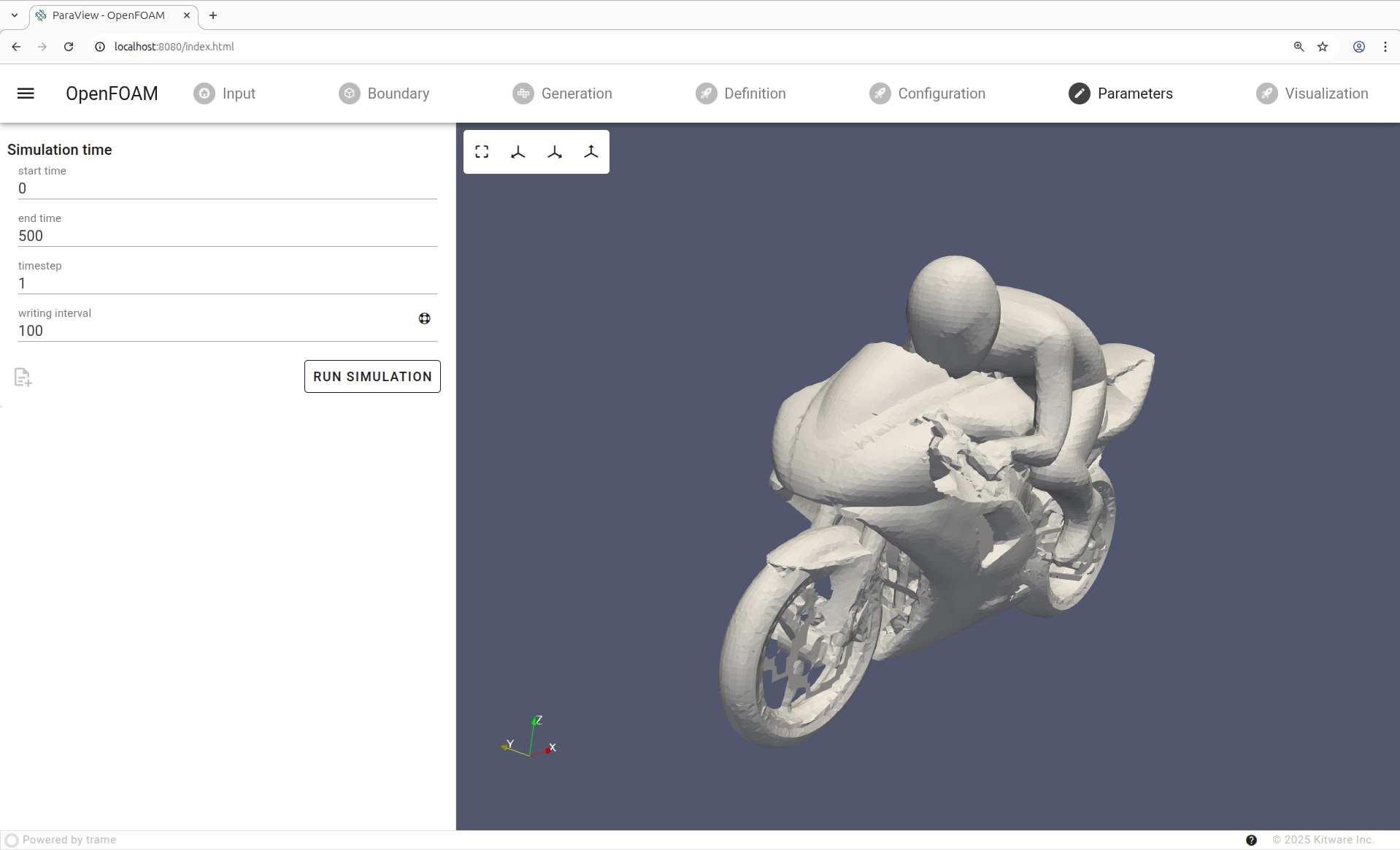
#6 – Define the simulation’s time domain
The start and end times set the period over which the flow is computed, while the timestep determines the temporal resolution, balancing accuracy and stability for capturing transient or unsteady behavior.
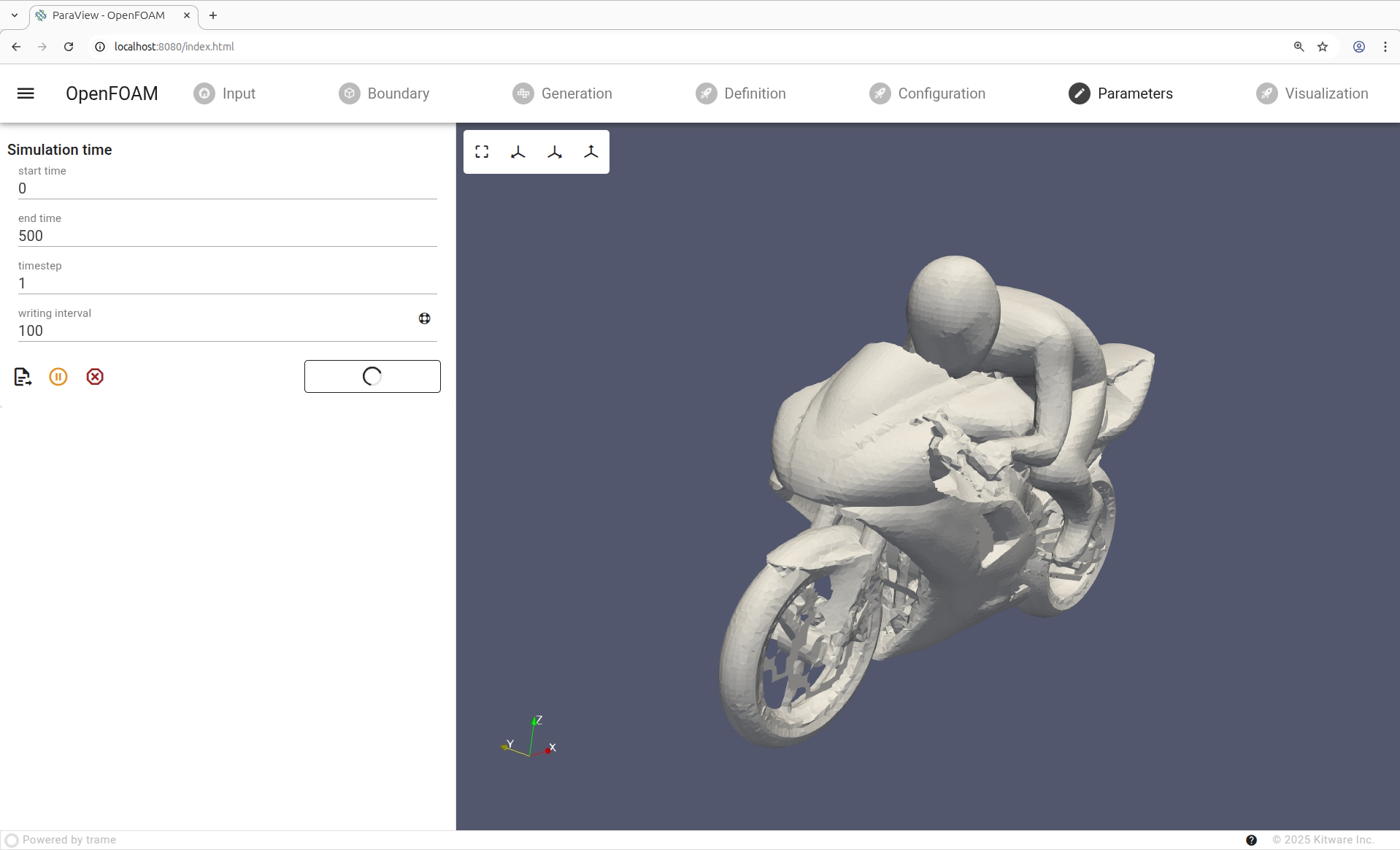
#7 – Run simulation
The solver iterates over the mesh and time steps, applying the governing equations and boundary conditions to compute the flow field, until the specified end time is reached, producing results for velocity, pressure, temperature, or other quantities of interest.
The solver executable is spawned as a child process, the logs are captured.
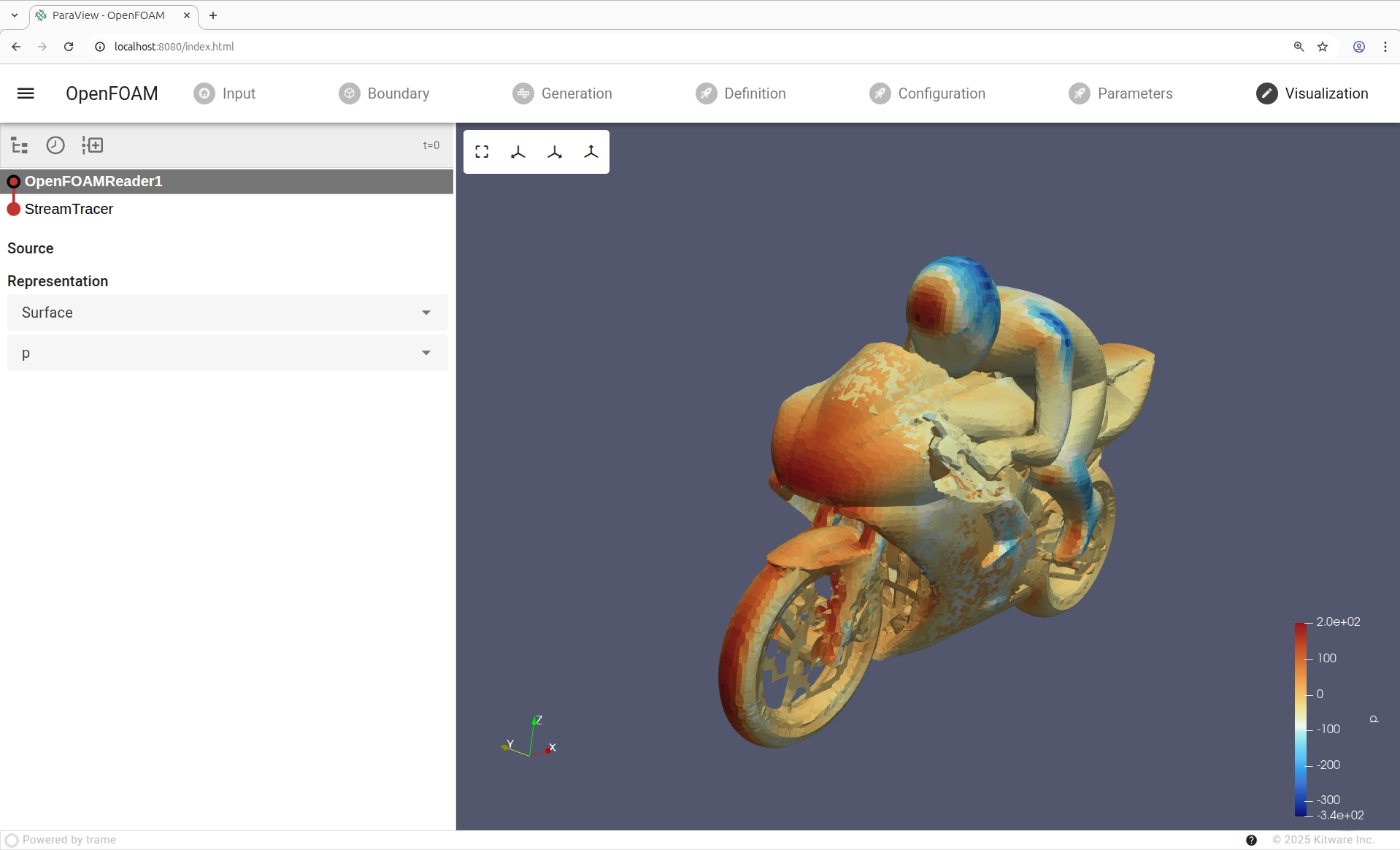
#8 – Visualize pressure field
The computed pressure values across the domain are displayed using a color map to identify regions of high and low pressure, understand flow behavior, and assess performance or design implications.
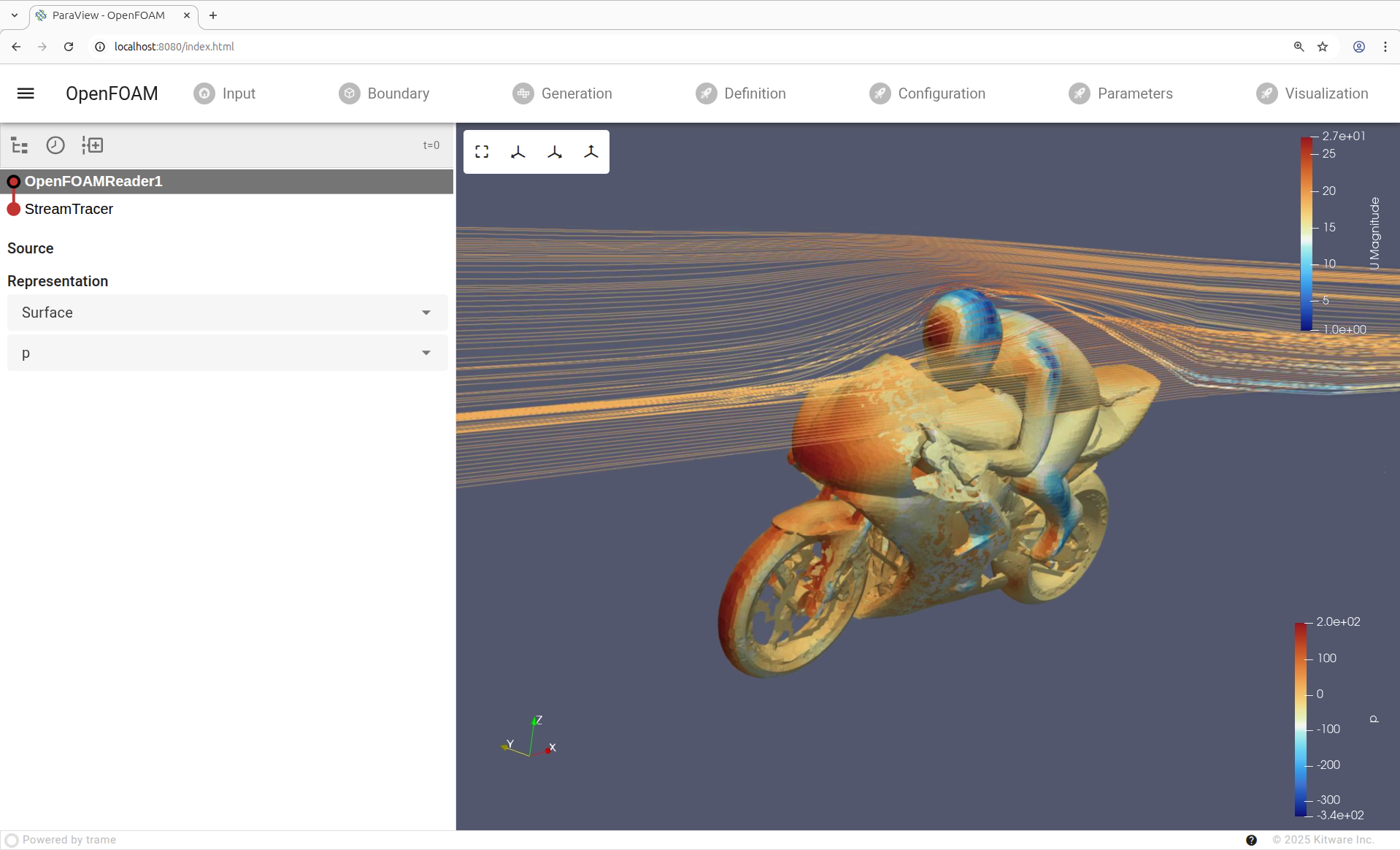
#9 – Post-processing
Visually represents the flow direction and pattern with streamlines, showing the paths that fluid particles follow. They help reveal vortices, recirculation zones, and overall flow structure, making complex flow behavior easier to interpret.
Conclusion
The demo app presented above was not meant to be the solution—it was meant to prove a point. With trame, building an interactive, end-to-end simulation workflow is not only possible, but it is also practical. What usually takes a patchwork of scripts, GUIs, and custom tooling can live in a single, coherent application that connects your solvers, preprocessing, post-processing, and visualization in a way that actually fits how CFD engineers work.
The real value of trame shows up when you apply it to your own problems: your physics, your meshing strategy, your solver stack, your decision loops. Whether you want a lightweight internal tool, a reproducible workflow for your team, or a domain-specific app tailored to a specific class of simulations, trame gives you the building blocks without locking you into a rigid framework.
If this demo sparked ideas, that’s the signal to try it yourself. This work leverages OpenFOAM, but it can easily be done similarly with other solvers. Start small, wire up a single step of your workflow, and iterate. The feasibility question is already answered—the next step is turning trame into your simulation environment
And you don’t have to do it alone. Kitware can help you through that process—from shaping the right architecture, to integrating your existing CFD tools, to turning a prototype into a robust, production-ready workflow. If you’re looking to accelerate adoption, reduce technical risk, or push the idea further than a demo, Kitware’s experience with scientific and medical software can make the difference.

Learn how to confidently use trame from the expert developers at Kitware.

Our experts can assist your team as you build your application and establish in-house expertise.

Leverage Kitware’s 25+ years of experience to quickly build your application.
Sounds interesting! Is the source code for this project available anywhere on github?
The code is not publicly available, please contact us if you are interested.