Trame for Battery Simulation
At Kitware, we build tools that help turn complex scientific workflows into intuitive and powerful experiences. trame, a Python framework for creating web applications, was designed to make it easy to assemble Python and JavaScript technologies into cohesive applications tailored for scientific visualization.
In this post, we are excited to share a real-world example of how trame was leveraged in collaboration with TotalEnergies, a global leader in energy production and distribution, and SAFT, a specialist in advanced batteries and energy storage systems.
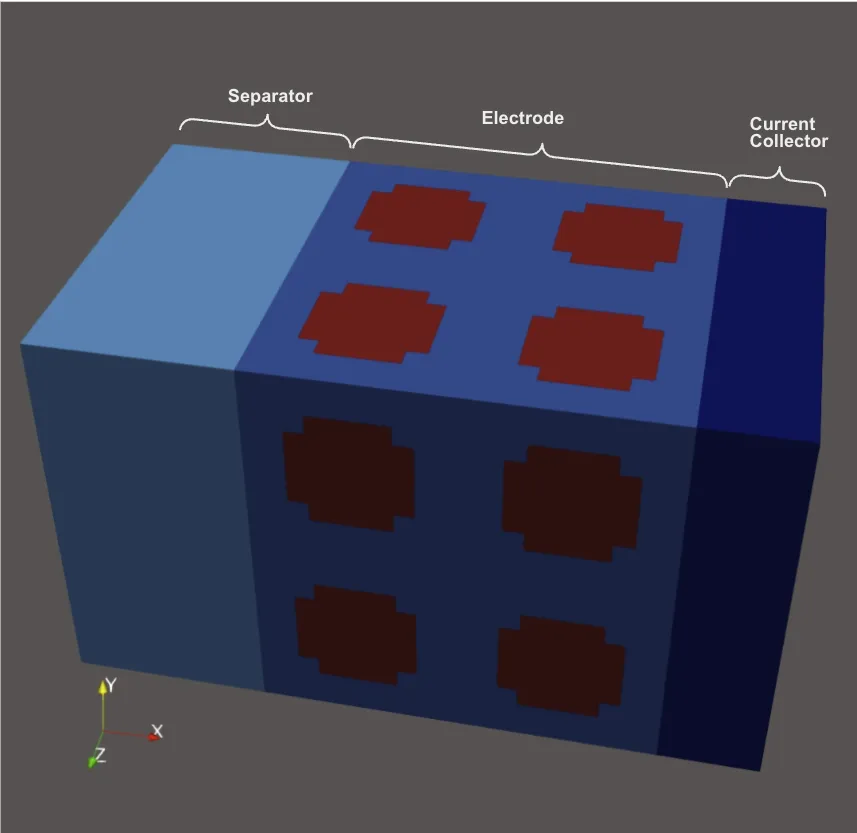
Designing efficient batteries is a complex science; it requires prior knowledge of its components:
- an electrode (anode or cathode): a porous element immersed in an electrolyte solution where lithium ions, produced by a chemical reaction in an electrode, move.
- a separator: a material placed between electrodes to avoid a short circuit but that lets ions move through.
- current collectors: conductive materials that carry electrons from electrodes to the external circuit.
For simulation purposes, half-batteries were also used. A half-battery is a battery where an electrode (anode or cathode) and its current collector have been replaced by a lithium foil, as below:
Depending on the composition of each element and charge and discharge conditions, batteries do not behave or age the same way. To analyze this problem, TotalEnergies and SAFT developed a simulation code to simulate batteries’ behavior under different conditions and materials. Thanks to their extensive expertise, they developed advanced simulation scripts capable of handling complex battery configurations.
However, the workflow around these powerful tools was entirely file-based and highly manual. Every change required editing files by hand, which made the process slow, error-prone, and vulnerable to syntax mistakes. This cumbersome approach created friction for teams trying to experiment quickly or scale their simulations. To streamline operations, reduce errors, and make the workflow more accessible, they decided to develop a web application that could centralize script configuration and execution, providing a more controlled, user-friendly interface for their simulations.
Work description
To respond to this need, Kitware developed a trame based application that allows users to set up battery simulations, launch these simulations, visualize their outputs, and analyze them in a unified workflow. Using trame allows us to build a full web application entirely in Python, so scientists can work in the language they already use every day for analysis, visualization, and simulation.The developed application is a workflow of multiple steps; they are described below:
Mesh
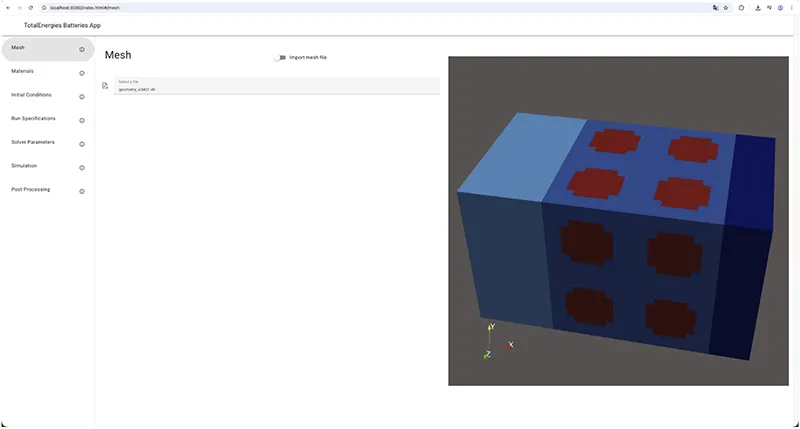
Users can either define an initial battery geometry from scratch or import a .vtr file directly to visualize it.
3D rendering is done using ParaView.
Materials
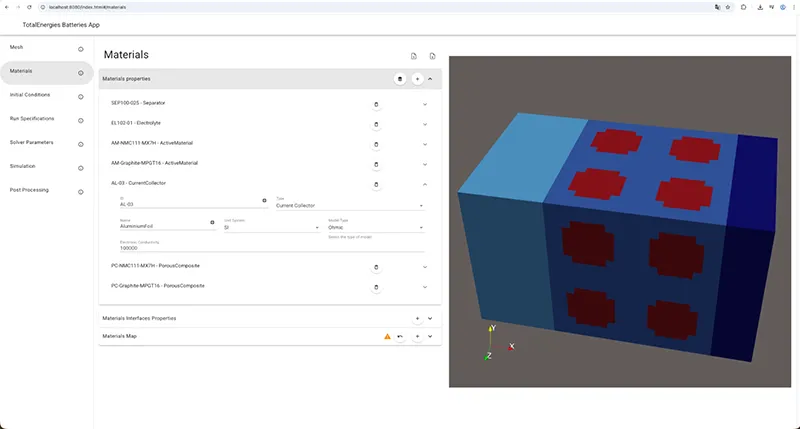
Users can define materials that compose the initial battery with specific properties for each of them.
Initial Conditions
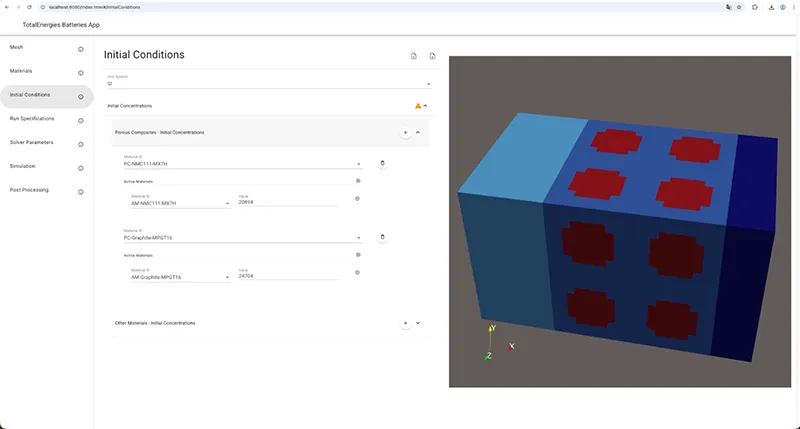
Once the battery physical properties are defined, users can define initial conditions of active materials.
Run Specifications
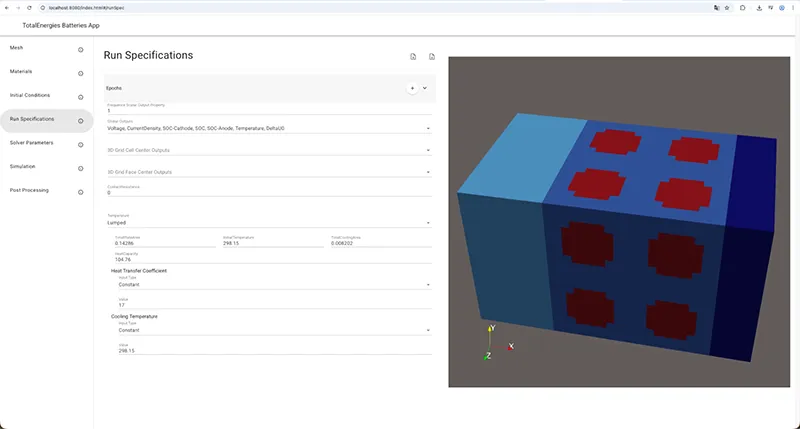
Users can define multiple properties such as temperature or heat transfer coefficient to specify the run.
Solver parameters
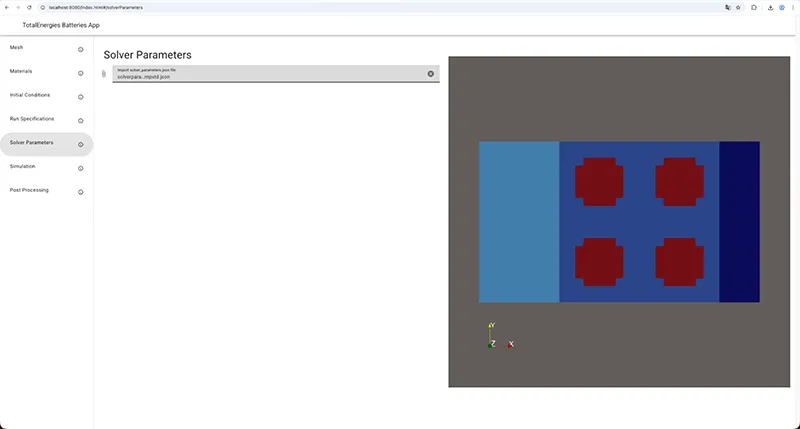
For convenience, a .json file defining solver parameters is expected at this step.
Simulation – start
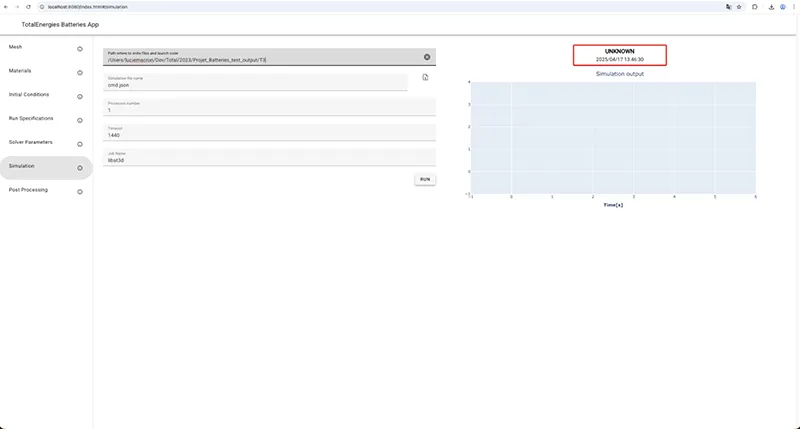
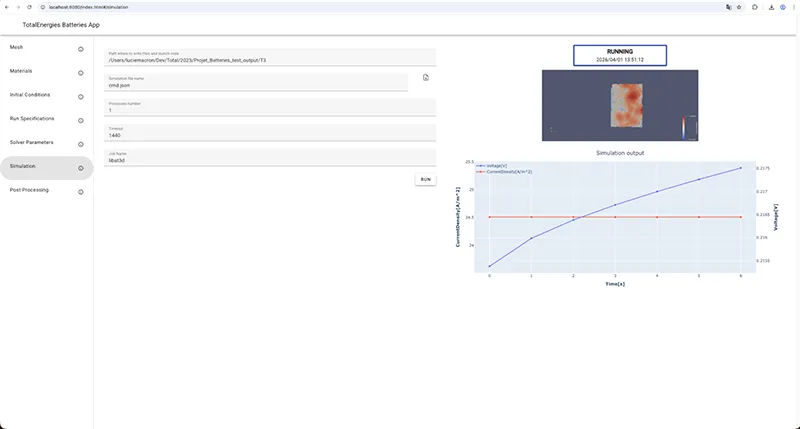
From the interface, users configure a few run parameters such as the job name and timeout, then click Run to start the simulation. This triggers a Python process that connects to the HPC environment and submits the simulation job with the required computing resources.
Simulation – in progress
During the simulation’s runs, different outputs are generated and visualized directly:
- At regular time intervals, an image of the current state of the battery (rendered in a ParaView scene) is captured.
Post-processing
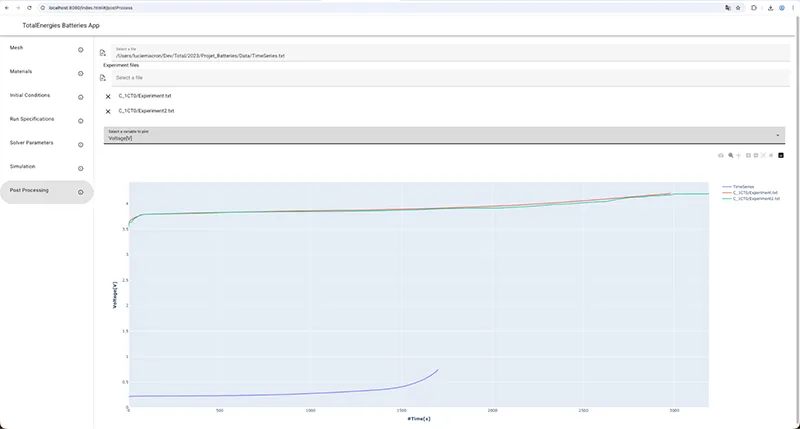
This step corresponds to the visualization of different experiments. Experiments are generated while optimizing parameters. An experiment corresponds to the previously described text file. It contains, for each set of parameters, physical parameter values.
By graphically comparing the evolution of given parameters between different simulation runs, the goal is to quickly identify the best configuration for a battery.
Implementation details
trame-plotly
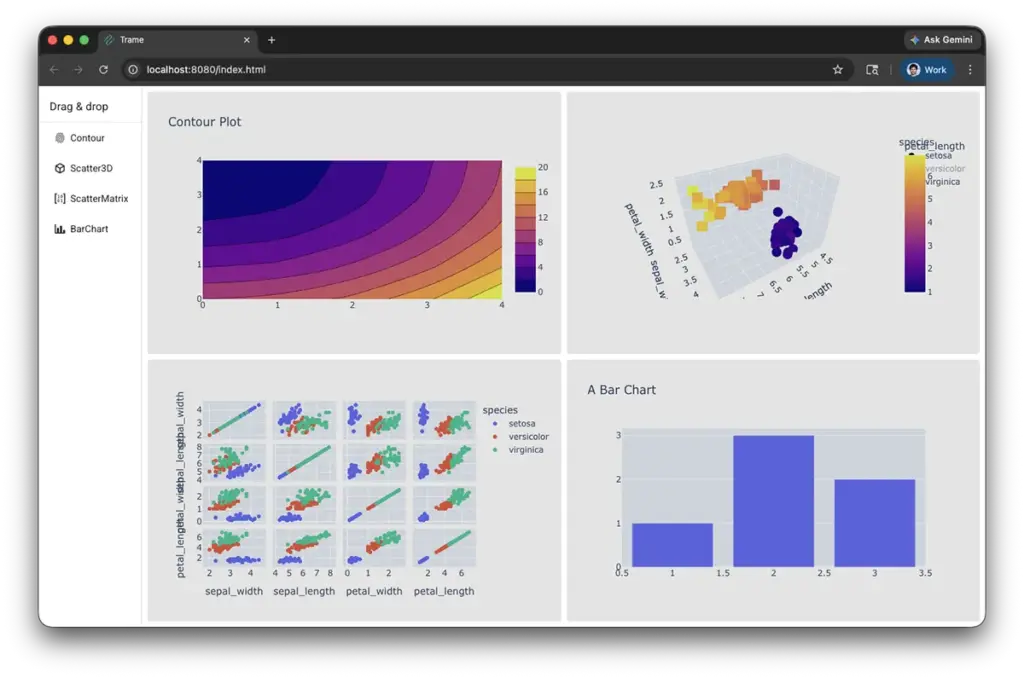
trame-plotly has been used to render 2D plots.
trame-plotly is a trame widget of the open source library Plotly that provides graphing libraries for Python and JavaScript. trame-plotly enables users to quickly and easily integrate any interactive graph (2D or 3D) into a web application.
trame-simput
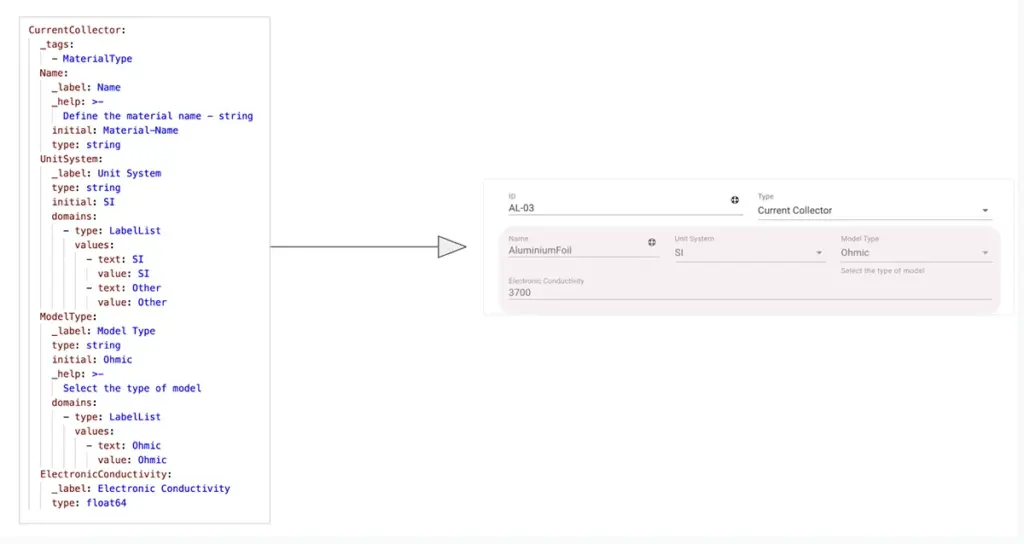
Most of the interface forms are generated with trame-simput.
trame-simput is a widget for trame that defines the UI directly from a model definition (yaml file).
Once a model is defined and depending on the different properties, the corresponding interface is generated. trame-simput will create the correct type of input, with a default value according to the description file.
Conclusion
With this work, it is now easier to set up simulations, launch them, and analyze results directly from the same application.
A future idea could be to integrate Catalyst into the workflow to visualize and process simulation results in real time. Additionally, for now, optimization is performed separately using Apache Airflow, which requires files to be provided. Optimized data is then used at the “post-processing” step. To avoid this back and forth between applications, one idea would be to integrate Airflow into the trame application to optimize parameters and be able to visualize them directly without any file manipulation.
By creating a web application with trame, we transformed a manual, error-prone workflow into an intuitive, streamlined process. The teams can now configure and execute advanced simulations with confidence, reducing mistakes and saving valuable time. This collaboration highlights how combining domain expertise with flexible, modern tools like trame can unlock new efficiency and innovation in scientific visualization. It’s a clear example of turning complex technical challenges into accessible, impactful solutions.
We sincerely thank TotalEnergies and SAFT for their partnership and trust, which made this project possible and inspiring.
If you are facing complex technical challenges of your own, Kitware is ready to help. Reach out to explore how we can turn your advanced workflows into efficient, user-friendly solutions.