VolView 4.5
We released VolView 4.5 with new capabilities:
- Submit custom image analysis tasks to a backend
- Ultrasound DICOM support
- Label colors and names in .seg.nrrd files loaded and saved
- Fill holes paint tool process for segmentation
Process Images With Custom Backend Code
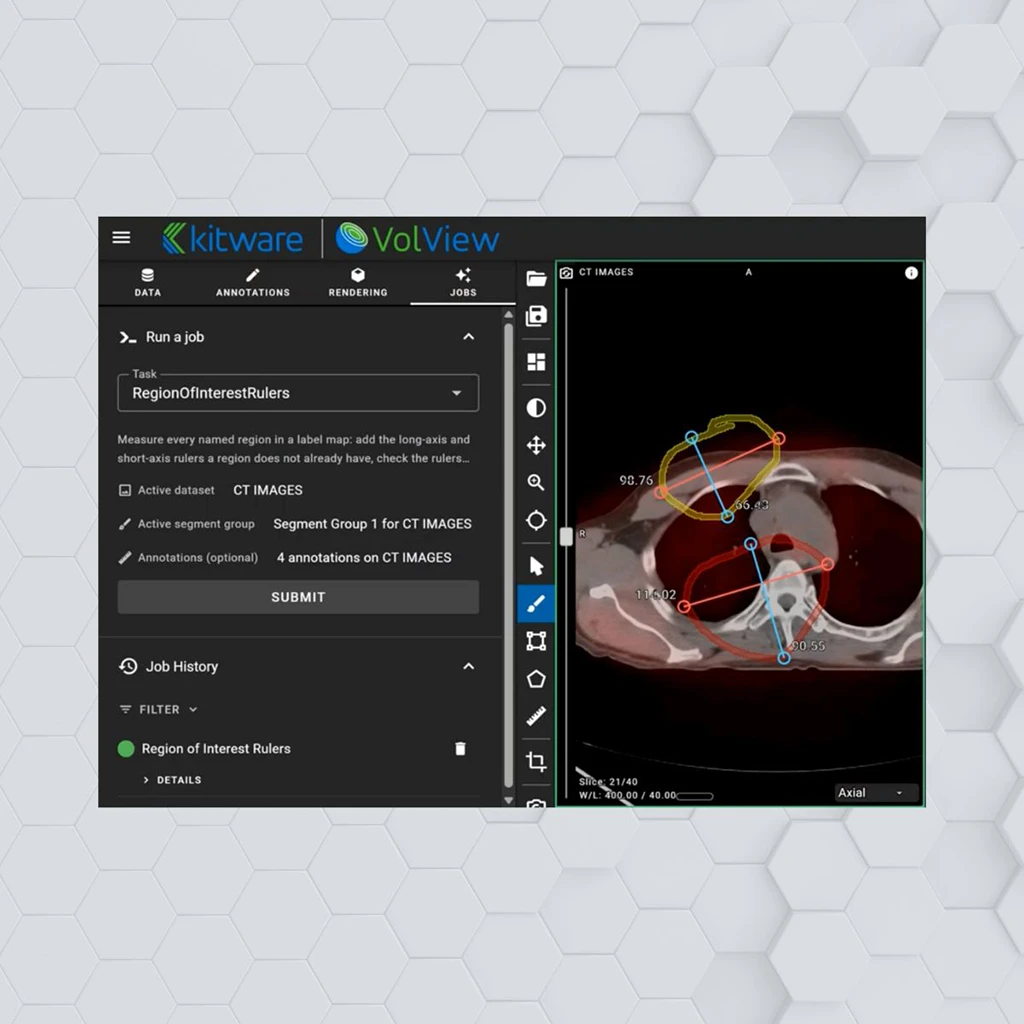
The new Jobs module allows developers to integrate their own AI segmentation or classical image analysis processes into VolView.
With an OpenAPI interface, VolView:
- Discovers the available processing jobs and their arguments.
- Submits the active images to the job and monitors its progress.
- Displays the job’s outputs within VolView, be it segmentations, heatmap overlays, or vector annotations.
See Jobs in VolView
The Jobs module also supports vector annotations created in VolView. Rulers, rectangles, and polygons can be submitted as job inputs. Vector results can then be returned to the viewer.
This functionality is supported by a new backend contract that defines the interface between VolView and a processing service. The girder_volview reference backend implements this contract using Slicer CLI Web images.
Expanded Support for Ultrasound DICOMs
Ultrasound DICOM images get a play/pause button and framerate selector. Try it out with the new sample data option. https://volview.kitware.app/
Improve Segmentations With New Tools’
VolView 4.5 also introduces new capabilities for working with segmentation data.
The new Fill Holes process addresses interior holes in segmentations. Users can apply it to the current slice or the entire volume. It can also be applied to an individual segment or all segments.
The release also improves how segment data moves between VolView and 3D Slicer. Exported segment groups now include labels in NRRD metadata. When Slicer .seg.nrrd files are loaded into VolView, their embedded segment names, colors, and label values are retained.
Get VolView 4.5
Explore the full release notes to learn more about the capabilities and improvements available in VolView 4.5.
Explore VolView 4.5Have questions about VolView or want to contribute to its development? Contact Kitware