How to Bring Scientific Computing Applications to the Web Without Starting Over
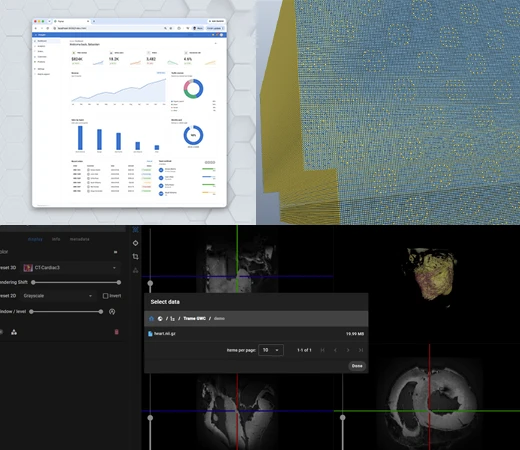
Scientific and engineering applications often represent years of development. They may include specialized algorithms, visualization capabilities, and data-processing tools built around specific research or engineering needs.
As scientific software reaches more users and computing environments, organizations may need to make existing capabilities accessible via a browser without replacing the underlying technology.
The challenge is deciding what to preserve, what needs to change, and where each part of the application should run.
Start With the Capabilities You Already Have
Before redesigning an application, start by identifying the capabilities that already work well.
Existing software may already provide mature tools for processing data, running simulations, or creating visualizations. Rebuilding those components for a new interface can add unnecessary development and maintenance work.
Instead, separate the scientific capabilities from the way users interact with them.
trame supports this approach by allowing developers to build interactive applications in Python while continuing to use technologies such as VTK and ParaView. With trame v4, developers can also integrate existing React components into trame applications. This allows teams to reuse web interface components they have already developed rather than rebuilding them from scratch.
Before starting a web modernization project, ask:
- Which scientific capabilities should remain unchanged?
- Which parts of the application actually need a new interface?
- Can existing visualization, analysis, and interface components be reused?
The goal is to preserve the parts of the application that already solve the technical problem while changing how users access them.
Decide What Runs in the Browser and What Runs Remotely
A web interface does not mean every part of an application needs to run in the browser.
Some applications can process and render data on the client. Others depend on large datasets or computational resources that are better suited to remote systems.
Teams should determine:
- Where the data will live.
- Where computation should happen.
- What needs to move between the browser and server.
- How users will access the application.
trame supports both client-side and server-side approaches. Kitware’s work with VTK.wasm also enables VTK visualization and processing capabilities to run directly in the browser.
Watch the VTK.wasm WebinarMaking these decisions early helps teams design around the needs of the application rather than forcing every component into the same environment.
Keep Data, Visualization, and the Interface Modular
Scientific applications often need to do more than visualize results. Users may also need to manage datasets, run analyses, or access remote resources.
Keeping these functions separate can make the application easier to maintain and extend.
Our trame-gwc work provides one example. It connects trame applications with Girder, Kitware’s web-based data management platform. Girder manages the data while trame supports the interactive application.
The same principle applies more broadly. Separating data management, computation, visualization, and the interface allows each part of the application to evolve without requiring the entire system to be rebuilt.
Modernize Around What Already Works
Bringing scientific computing capabilities to the web does not require abandoning the software that already solves the technical problem.
Start by identifying which capabilities can be preserved. Decide where data and computation should run. Then structure the application so its major components can evolve independently.
Kitware develops open source technologies including trame, VTK, and ParaView to support this type of modular development. Our teams also work with organizations to integrate these technologies into custom scientific and engineering applications.
By building around existing capabilities instead of replacing them, organizations can make scientific software more accessible while protecting the technical investments they have already made.
Contact Kitware to learn how our experts can help modernize your scientific computing applications.