How to process point clouds in Paraview and LidarView: From Built-in Filters to Advanced Plugins
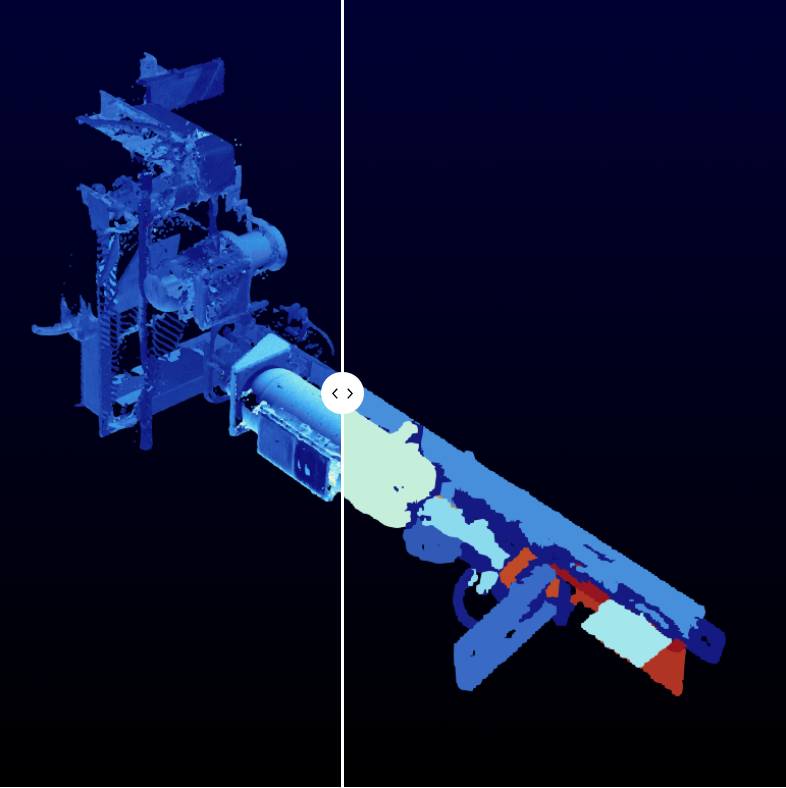
Point clouds — sets of 3D spatial data points — are a central data structure in areas such as, 3D scanning, autonomous navigation, and digital twin generation. Processing them effectively is essential to extract usable information, reconstruct geometry, or segment relevant structures. This blog post presents an overview of point cloud processing techniques in ParaView, ranging from native tools to powerful plugin-based extensions like PCL and VESPA.
In order to generate such 3D scans from mobile LiDAR sensors, LidarView embeds a SLAM algorithm and point cloud aggregation mechanisms. More information on our dedicated blogpost and the documentation to create such maps.
Note: Any tool presented here in ParaView is also natively available within LidarView (that embeds PCL plugin by default).
Why Point Cloud Processing in ParaView Matters
ParaView is a scalable, open-source platform widely used for scientific visualization. Though traditionally tailored to mesh and volume data, its extensibility makes it an excellent platform for point cloud analysis, especially when extended with the Point Cloud Library (PCL) and VESPA (VTK Enhanced with Surface Processing Algorithms) plugins.
Point clouds present challenges such as sparsity, lack of topology, presence outliers, and measurement noise. Unlike structured datasets, point clouds are often acquired from sensors such as LiDARs or stereo vision systems and require preprocessing to become suitable for geometry reconstruction or simulation. We review in this blog how these challenges can be addressed through a combination of filtering, segmentation, reconstruction, and meshing techniques available within ParaView.
Native ParaView Tools for Point Cloud Processing
Clip and Threshold
Clipping allows users to isolate regions of interest by removing unwanted portions of the dataset, using geometric primitives like planes or boxes. In industrial contexts, this can be used to focus on specific components—such as isolating a section of piping with a box—to simplify visualization and analysis. While in this example the clipping is used externally, the same technique can also reveal internal structures of the data when exploring complex geometries.
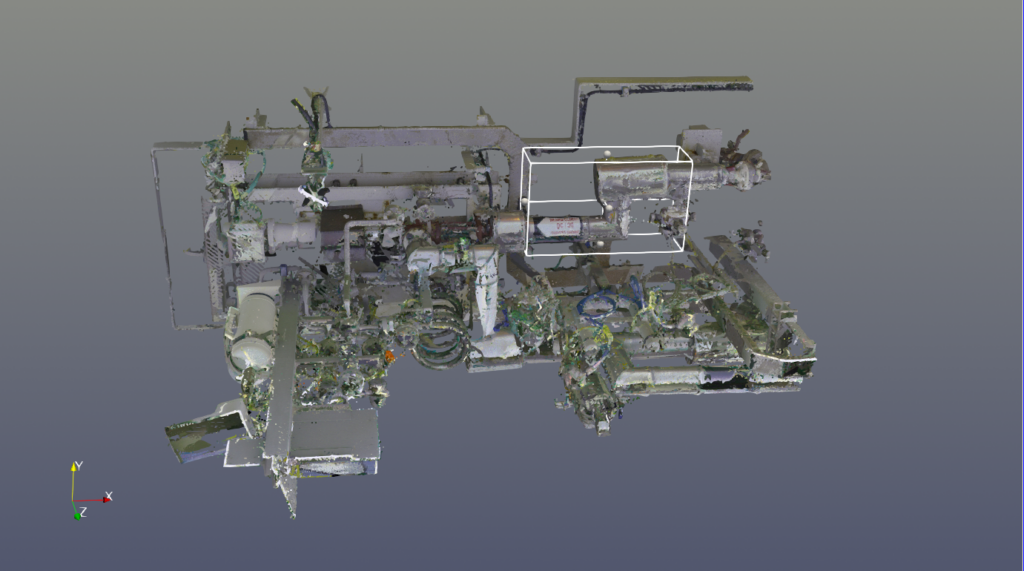
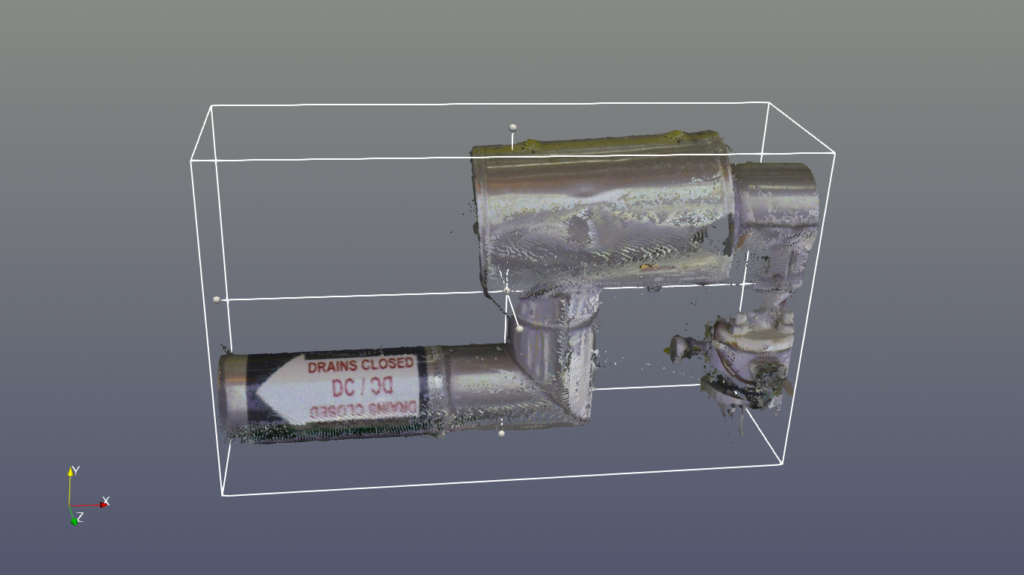
Left : original point cloud / Right : Isolated part of interest with box clipping
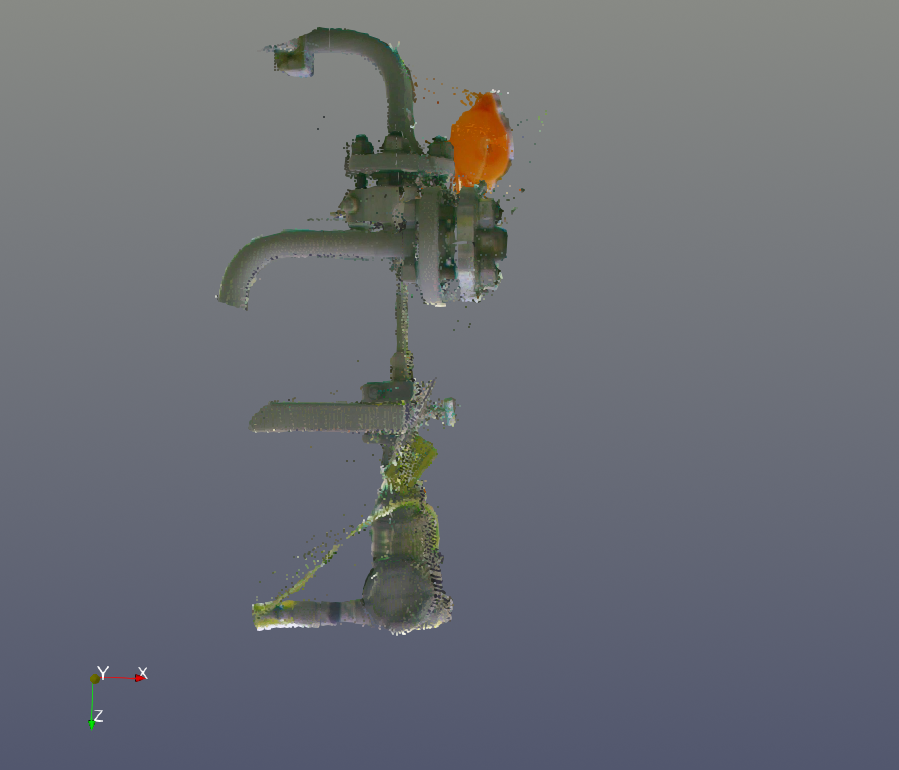
Thresholding, on the other hand, filters points based on scalar attributes like intensity or time, enabling users to discard artifacts like moving objects or sensor noise from the dataset. The following example demonstrates a color-based threshold applied to isolate the blue pipe from the rest of the installation.


Left : original point cloud / Right : cable isolated through thresholding on RGB components
Interactive Selection
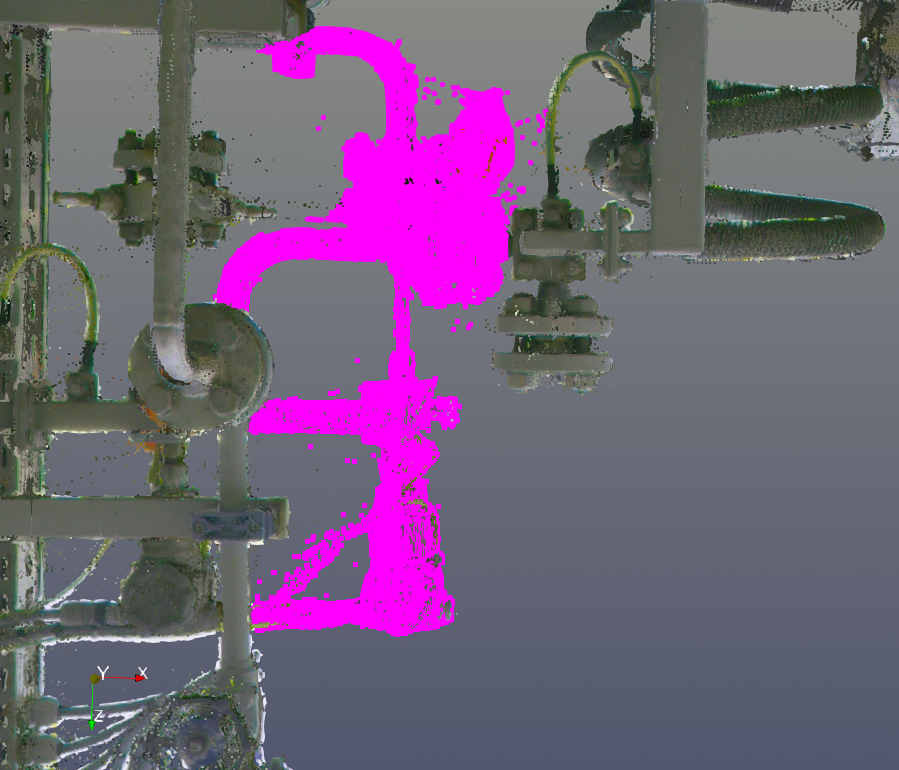
ParaView provides intuitive tools to select subsets of a point cloud directly in the 3D view using box or lasso tools. This interaction is helpful for segmenting or extracting specific elements. Once selected, the Extract Selection filter can isolate these points for further processing.
Delaunay 3D
Delaunay 3D triangulation creates a tetrahedral mesh by connecting points such that no point lies inside the circumsphere of any tetrahedron. This method works well for dense and well-distributed point sets but can struggle with sparse or noisy data, producing poorly shaped or intersecting elements. The Alpha parameter helps control the level of detail and can limit overfitting in under-sampled areas. However, the algorithm can produce low mesh quality with intersecting or degenerated cells
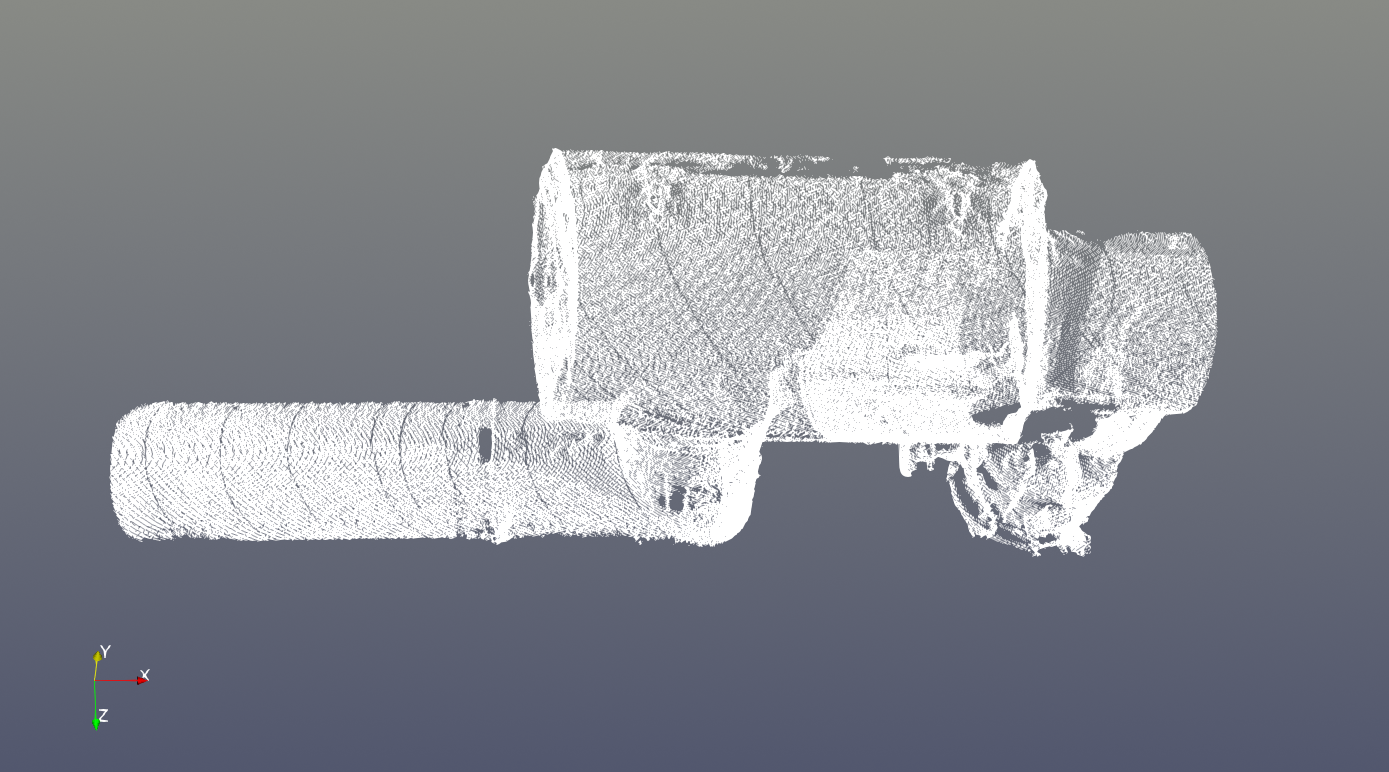

3D Delaunay triangulation with Alpha=0.002
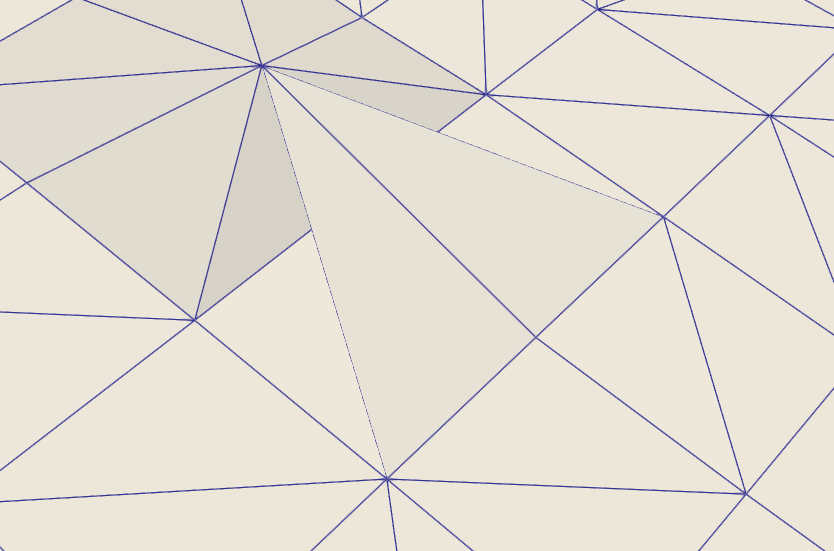
Example of a degenerated cell generated with 3D Delaunay triangulation
SPH and Gaussian Resampling
ParaView and VTK provide several filters to interpolate Smoothed-particle hydrodynamics (SPH) dataset to volume, plane or line. A SPH dataset is basically a point cloud with a kernel function which describes how the points are linked.
The following blog posts explains how to use these interpolators in VTK and ParaView:
- https://www.kitware.com/point-and-smoothed-particle-hydrodynamics-sph-interpolation-in-vtk/
- https://www.kitware.com/point-and-smoothed-particle-hydrodynamics-sph-interpolation-in-paraview/
An overview of post-processing and visualization techniques for SPH simulations in ParaView is also provided in “Smoothed-Particle Hydrodynamics Post-Processing & Visualization Using ParaView: a Survey” (2025) : https://www.scipedia.com/public/Gombert_et_al_2025a
An extension to the SPH interpolator, especially when there is no computation kernel to apply, is to use the Gaussian Resampling filter. It resamples the data to an image data, using a gaussian function around the sphere.
The process is to create a constant field of value 1 to the point cloud then apply the Gaussian resampling filter. It will fill cells containing points with 1 and empty cells with 0.
Then, using volume rendering or contour, we may get the external shape of the object:
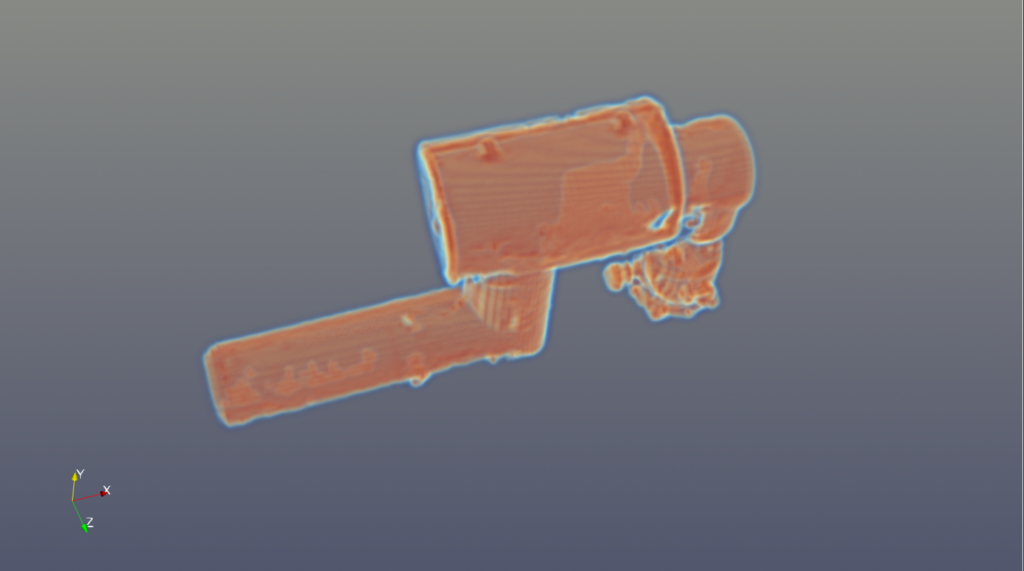
Volume rendering of the surface interpolated with SPH
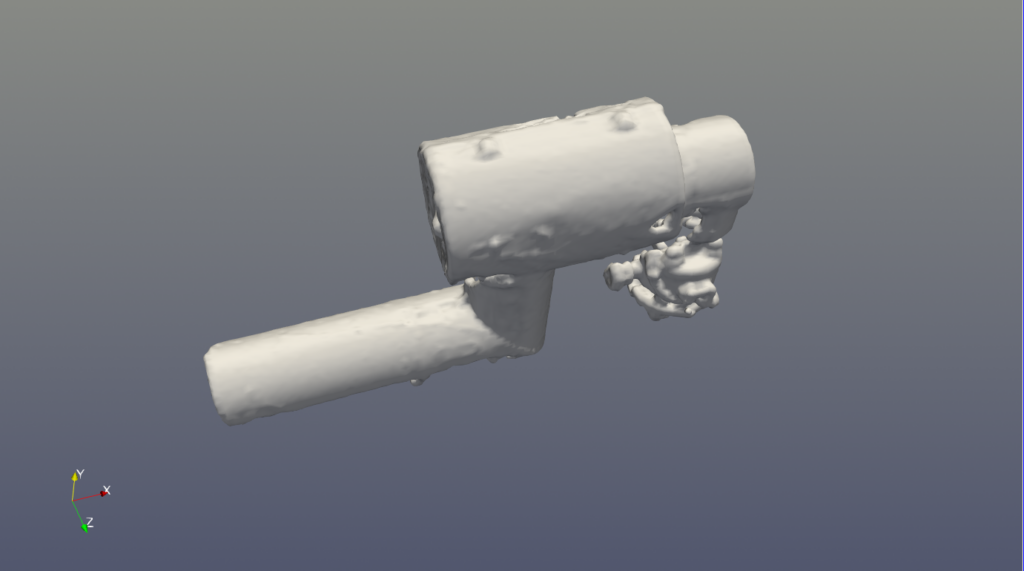
Isocontour of the surface interpolated with SPH
Advanced Surface Processing with VESPA
The VESPA plugin integrates CGAL-based geometry processing algorithms into ParaView and is used to produce high-quality, manifold surfaces from unstructured point clouds.
Advancing Front Surface Reconstruction
The Advancing Front Surface reconstruction algorithm generates a surface mesh by iteratively expanding from an initial boundary, creating new triangles that “advance” across the surface of the point cloud. The method prioritizes smooth surface coverage and preserves topological consistency, producing meshes that are well-suited for simulation or visualization. While robust in many cases, it may struggle with incomplete or noisy data unless properly preprocessed.
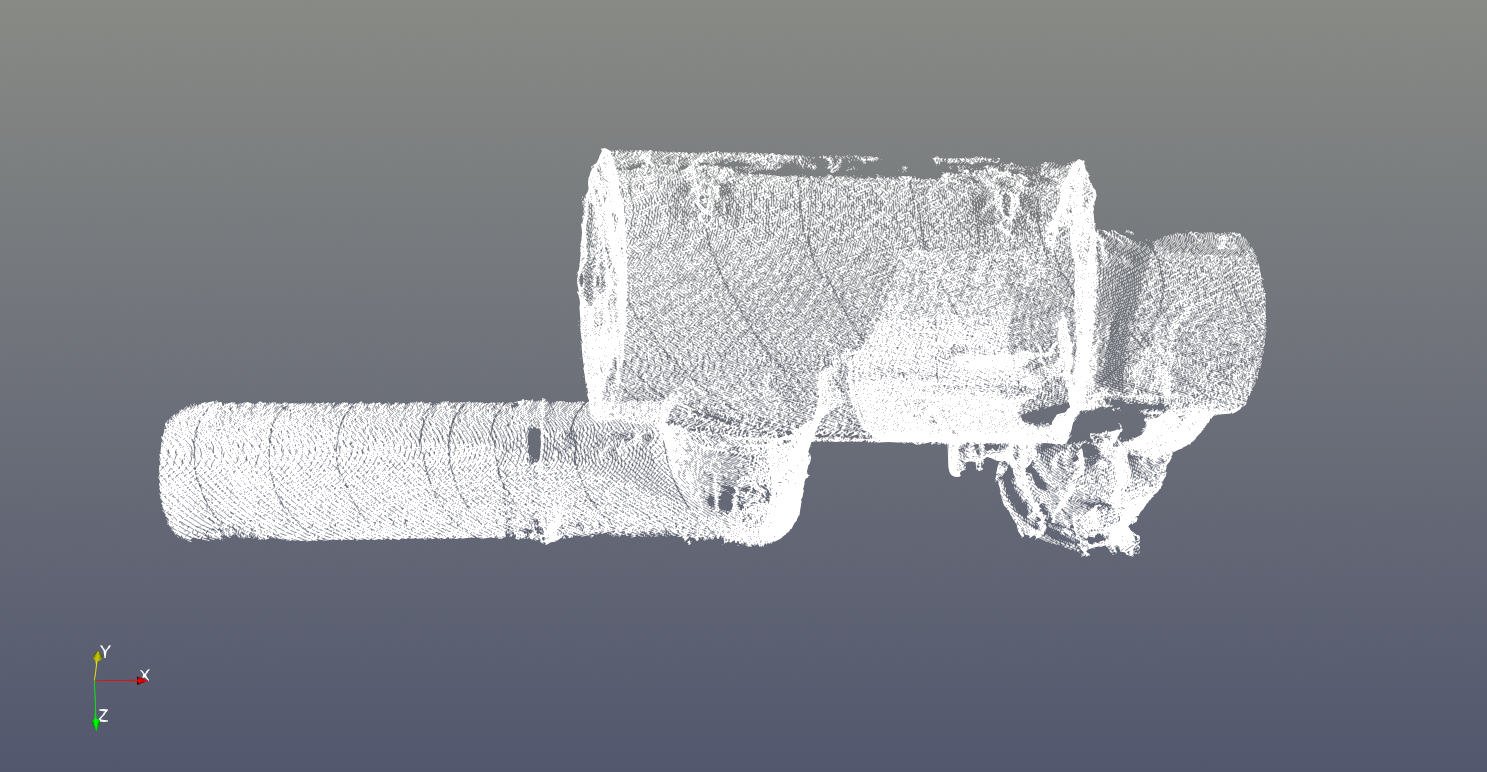

Mesh reconstruction with VESPA’s Advancing front filter
Poisson Surface Reconstruction
A second approach relies on the Poisson Reconstruction filter. It generates a surface mesh from a point cloud by solving a Poisson equation that captures the gradient of the surface’s implicit function, using the point cloud’s normals to guide the reconstruction. If needed, Vespa provides a VESPA PCA Estimate Normals filter for this normal computation step. The resulting implicit function is then converted into a mesh using marching cube-like techniques to extract the polygonal surface.
This method always results in a closed surface, which means it is able to close holes where no points are given in the point cloud but also that it can generate unwanted surfaces on an initially open data set.
As it is a reconstruction method, it results in a completely new data set and does not re-use existing points. As such, this method offers more control on the result resolution and quality:


Mesh reconstruction with VESPA’s Poisson reconstruction filter.
Left : Smaller triangle size / Right : Larger triangle size
Alpha Wrapping
Alpha wrapping builds a surface by tightly enclosing the point cloud with a triangulated mesh derived from an alpha shape. The algorithm adjusts the mesh detail by tuning the alpha value, where smaller values lead to finer resolution. Unlike basic Delaunay-based methods, alpha wrapping ensures the resulting surface is manifold and less prone to degenerate geometry.


Mesh reconstruction with VESPA’s Alpha Wrapping filter
Left : coarse version / Right : Finer version
PCL Plugin: Extending ParaView with Robust Algorithms
PCL (Point Cloud Library) is a modular C++ library offering extensive functionality for filtering, registration, segmentation, and surface reconstruction. The ParaView PCL Plugin integrates selected PCL filters into ParaView’s GUI.
Getting Started
To use the PCL Plugin in ParaView, the PCL library must be built with VTK support. After installation, the plugin can be cloned from the official repository and compiled with experimental surface filters enabled. Once loaded in ParaView, it adds a collection of specialized filters accessible from the standard filter menu.
Key Filters
Meshing Algorithms
The Greedy Projection Triangulation algorithm constructs triangle meshes by connecting each point to its neighbors based on proximity and surface smoothness. It incrementally builds the mesh, projecting candidate triangles onto a local surface approximation. This makes it effective for datasets with structured geometry but sensitive to outliers and uneven sampling.


Mesh reconstruction with PCL’s Greedy triangulation algorithm
Poisson surface reconstruction is also available within the PCL plugin and follows a similar principle as the VESPA version.
Marching Cubes is included for generating surface meshes from volumetric data. It assumes the input has been transformed into a voxel grid or scalar field and extracts isosurfaces corresponding to a chosen threshold.

Mesh reconstruction with PCL’s Marching Cube algorithm
Concave hull generation uses alpha shapes to define a tight-fitting boundary around a point cluster. It is computationally efficient and often faster than vtkDelaunay3D, but provides limited control beyond the alpha value. Convex hull, by contrast, wraps the entire dataset with the smallest convex polyhedron and is mainly useful for bounding volume estimation.


Mesh reconstruction with PCL’s Concave Hull algorithm
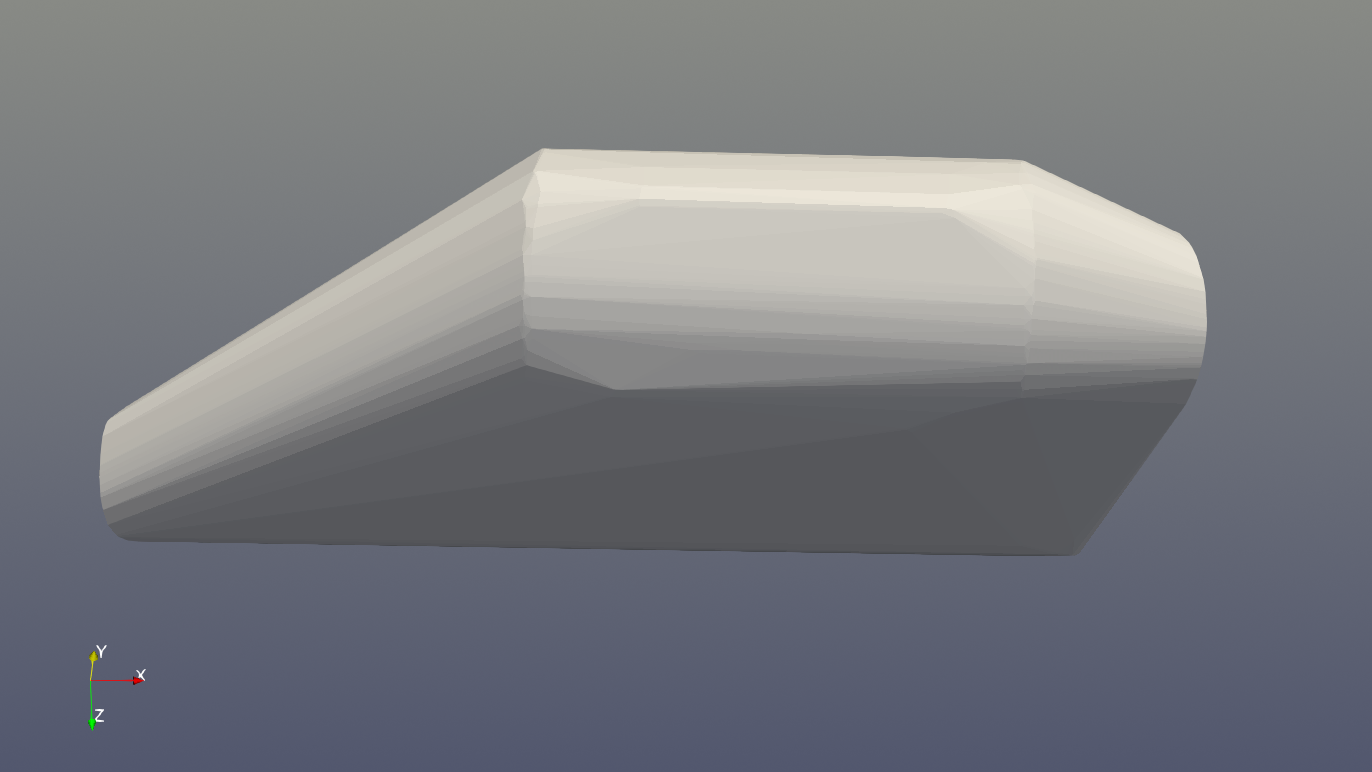
Mesh reconstruction with PCL’s Convex Hull algorithm
Segmentation algorithms
The Euclidean Cluster Extraction algorithm segments point clouds into spatially coherent groups. It identifies connected clusters by examining the distances between neighboring points and aggregating them when the distances fall below a threshold. This approach is ideal for identifying distinct objects in cluttered environments.
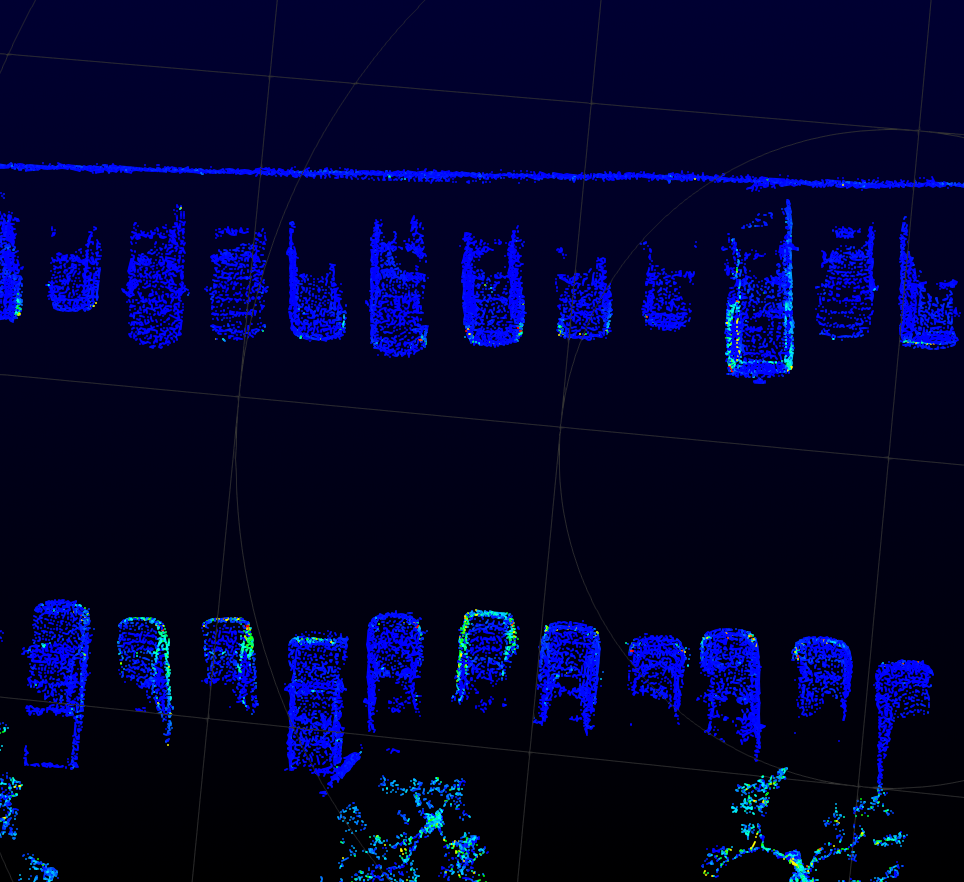
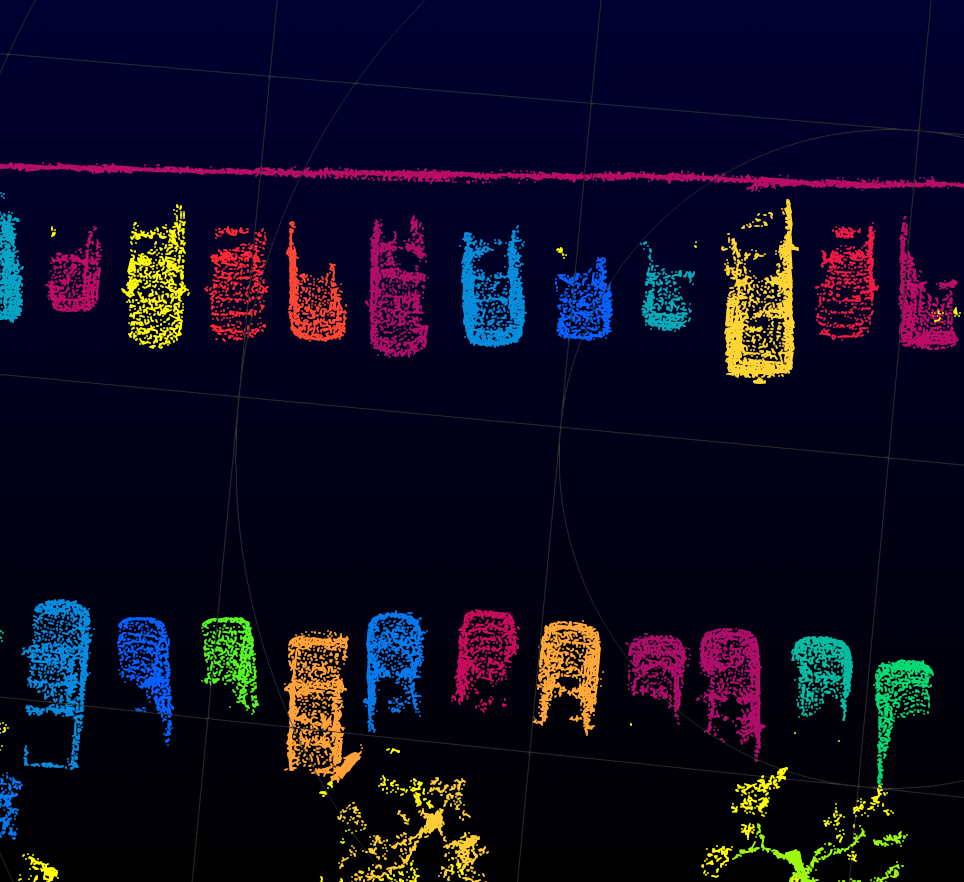
Euclidean Cluster based segmentation on a dataset acquired with a LiDAR on a vehicle
Region Growing segmentation operates by expanding regions from seed points based on continuity in surface characteristics. It evaluates local smoothness or color similarity to determine whether adjacent points belong to the same region. This produces natural partitions in the data that reflect real-world surfaces.
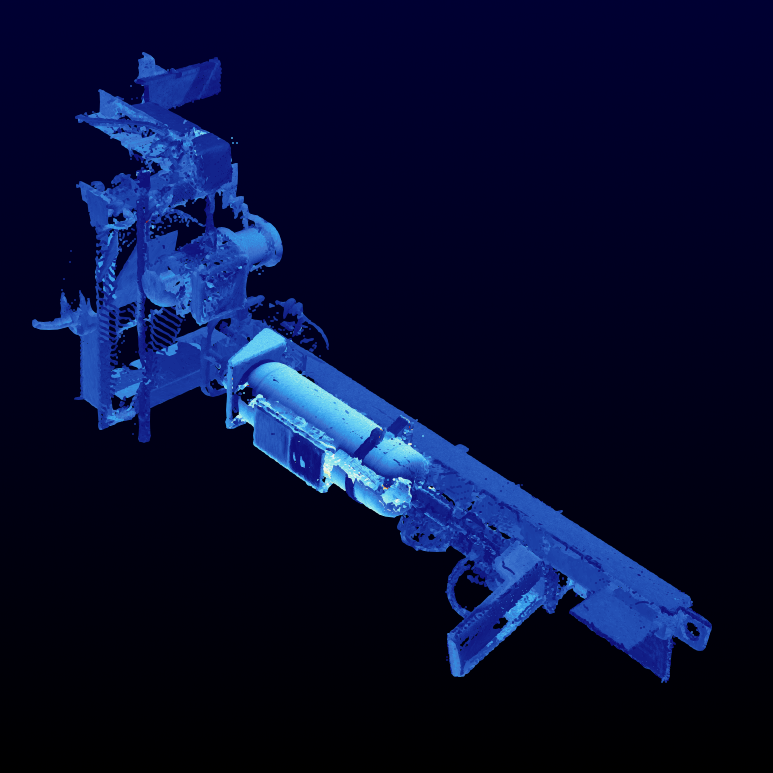
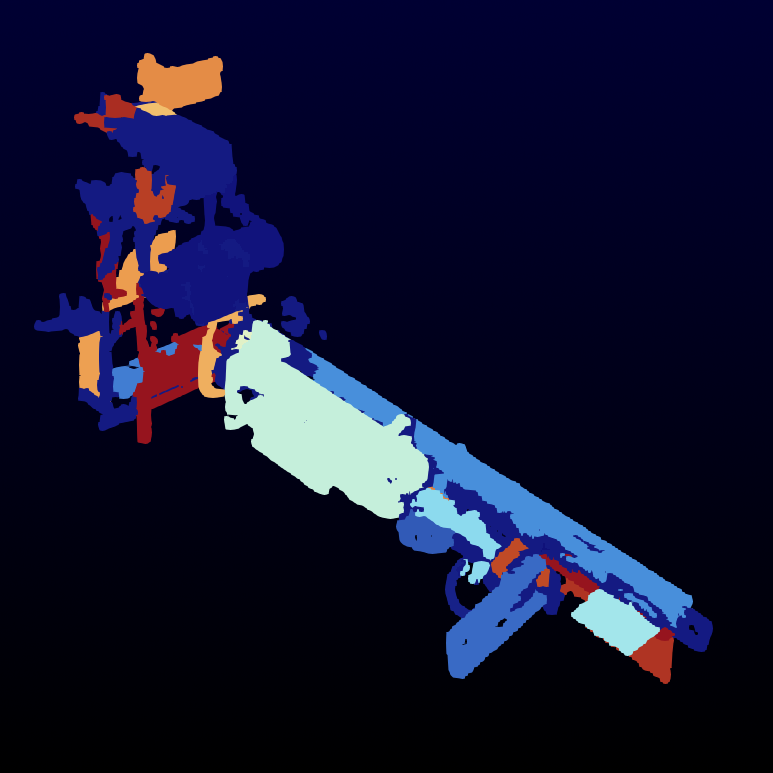
Region growing segmentation based on surface normals
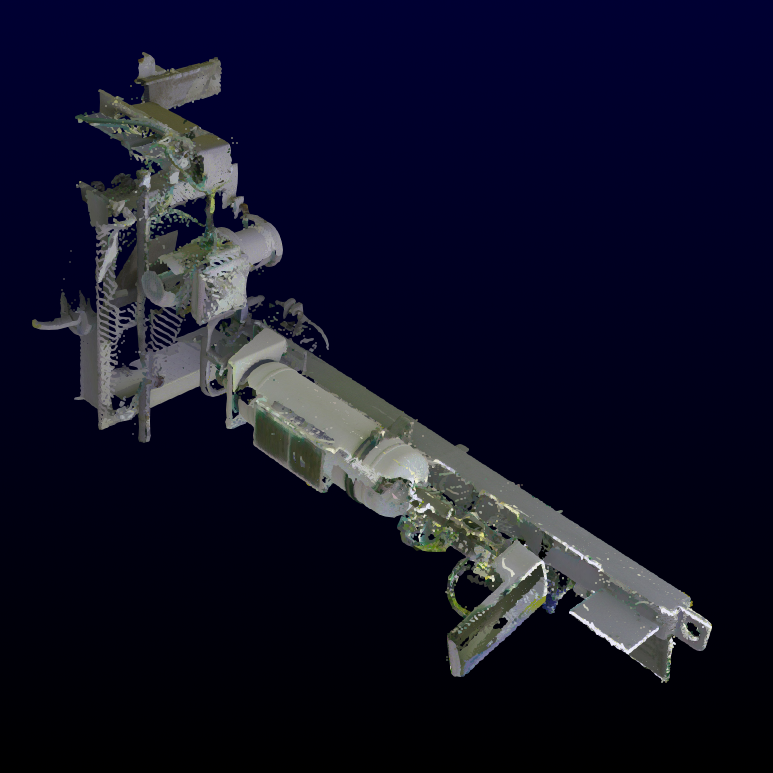
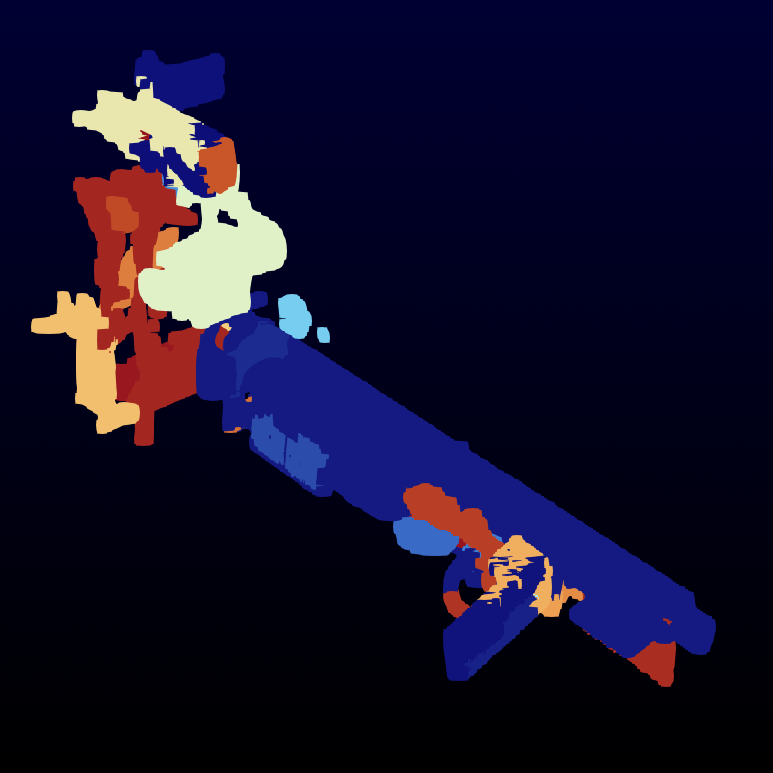
Region growing segmentation based on RGB color
Filtering and Cleaning
The Voxel Grid filter downsamples a point cloud by subdividing space into a 3D grid and replacing the points in each cell with a centroid. This reduces computational cost and smooths the dataset without significantly altering its shape.


Left : Industrial installation and piping system / Right : Voxelized data
Statistical Outlier Removal filter examines the distribution of neighbor distances and removes points that deviate from the average, effectively eliminating isolated noise.


Left : Noisy point cloud (noise in white) / Right : Denoised point cloud using Statistical Outlier removal
Radius Outlier Removal filter targets sparsely connected points by eliminating those that have too few neighbors within a given radius.
Normal Space Sampling helps balance the distribution of point normals by prioritizing samples from underrepresented directions. This improves uniformity in datasets used for orientation-sensitive tasks like reconstruction or registration.
Shape fitting
Shape fitting algorithms allow parametric shape models to fit a point cloud using RANSAC (and derivatives) based algorithms. Available shapes include : planes, sphere, cone, line and such models with extra constraints.
In the example below, we manually isolate one tank to fit a cylinder shape to it using the PCL fitting model.
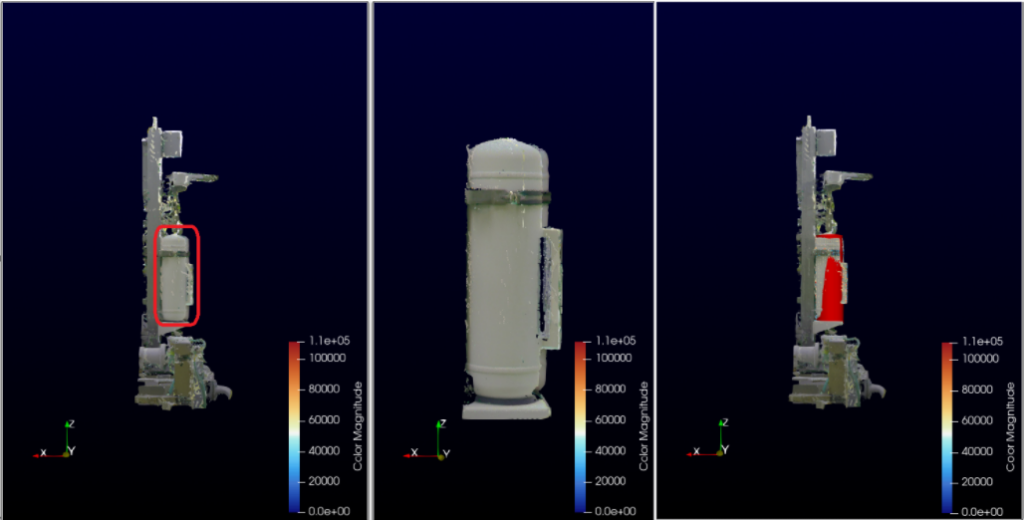
Left: Whole point cloud with selection highlighted / Middle: the selected points / Right: the fitted cylinder in red.
You can then access to the cylinder parameters with the spreadsheet view

Deriving from this base filter, two variants have been developed to answer to specific use cases :
- PCL Plane Alignment: Alignment of the point cloud based on ground plane estimation (can be used as below on aerial data but also automotive or mobile robots acquisition setups)
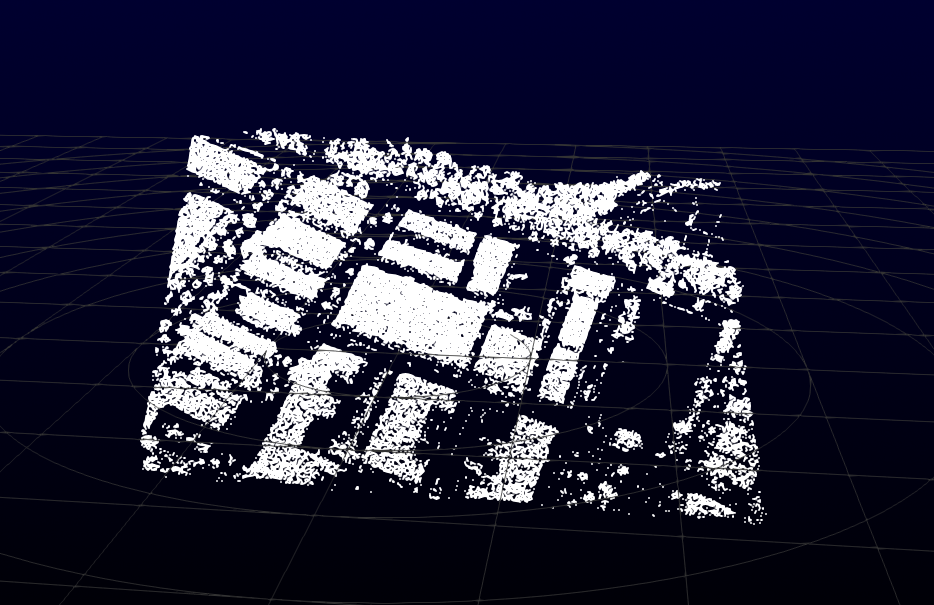
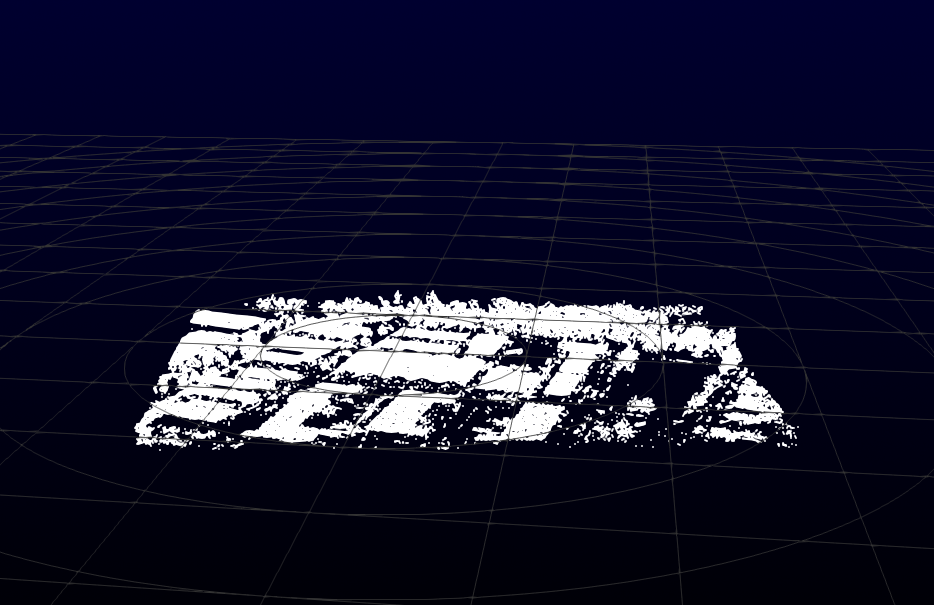
- PCL Wall Fitting: Fits a set of planes to a point cloud using orthogonality / parallelism of floor/ceiling and walls.
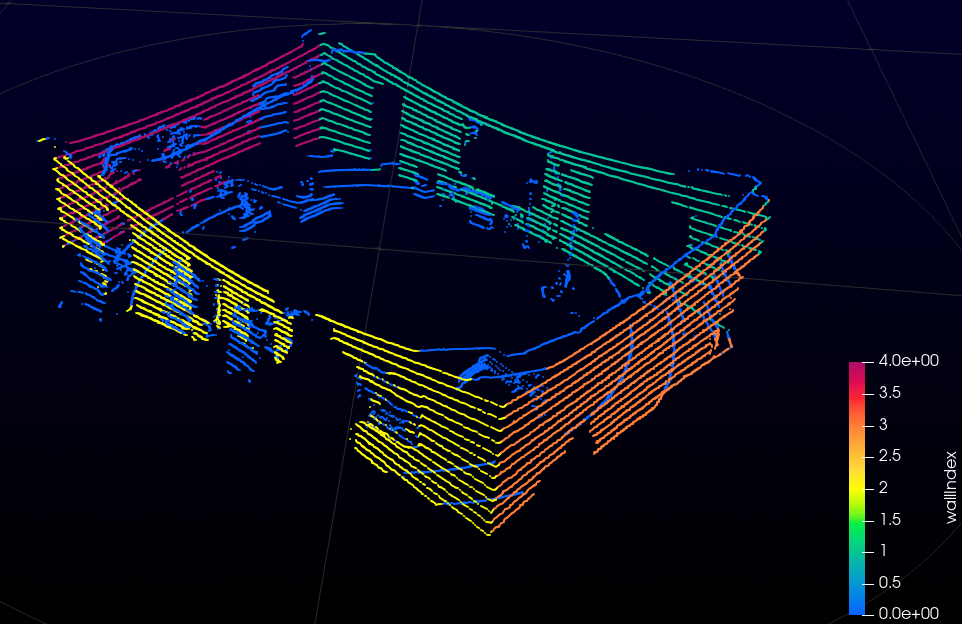
Extraction of 4 walls on a single frame scan (Index 0 corresponds to model outliers)
BIM Plugin: Robust Registration and Alignment
The BIM plugin extends ParaView with advanced registration filters designed for robust point cloud alignment.
TEASER++ Registration
The TEASER++ Registration filter implements a state-of-the-art global registration algorithm. Unlike ICP, which relies on iterative refinements and is sensitive to initialization, TEASER++ solves for correspondences in closed form and can tolerate a high fraction of outliers. This robustness makes it suitable for challenging datasets, such as successive LiDAR scans or partial building acquisitions. The resulting transformation ensures a consistent alignment that can then be refined or used as input to meshing and reconstruction pipelines.
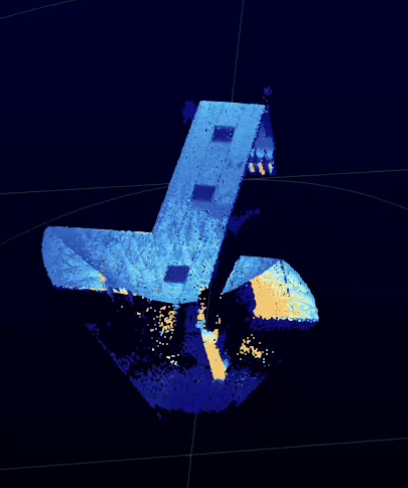
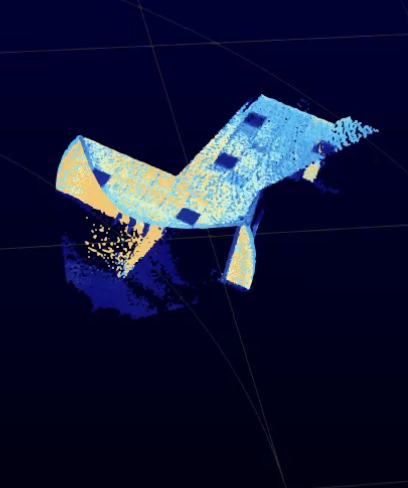
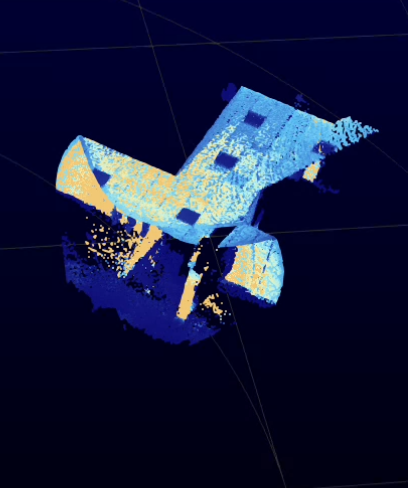
Left: first LiDAR scan. Middle: second LiDAR scan. Right: aligned result after TEASER++ registration.
Building Custom Pipelines
One of ParaView’s strengths is its visual pipeline editor, allowing complex workflows to be assembled modularly. You can freely mix native filters, VESPA tools, and PCL plugins.
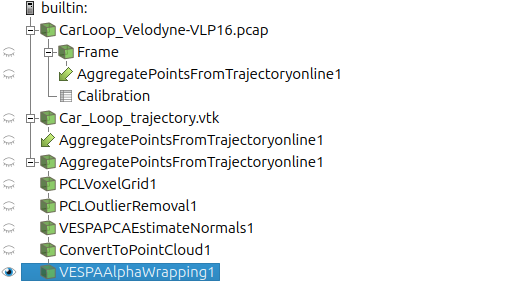
For example, a typical surface reconstruction workflow might begin with raw point cloud data that is first downsampled using a voxel grid. Noise is then removed with a statistical filter, followed by normal estimation using PCA methods. Finally, a meshing algorithm can be applied to generate a mesh.


Left: SLAM-aggregated point cloud / Right: Output of the custom processing pipeline
Segmentation pipelines might involve a pre-cleaning step followed by region growing, which segments the cloud into smooth surfaces. These surfaces can then be labeled or used to extract geometric primitives for further analysis.
Using LidarView, the beginning of the workflow may even be to acquire the point cloud using a 3D LiDAR sensor with SLAM and Aggregation filters.
Such pipelines may be reproduced using ParaView Macro and State file mechanisms.
Conclusion
ParaView, augmented by the PCL and VESPA plugins, delivers a robust, open-source ecosystem for 3D point cloud processing. With support for preprocessing, segmentation, meshing, and interactive analysis, it meets the needs of researchers, engineers, and developers alike.
Whether you are analyzing LiDAR scans, reconstructing scanned models, or processing simulated particles, ParaView offers an adaptable and scriptable environment to enable your workflow of point cloud processing.
Do you have a use case with point cloud data where such tools could be beneficial, or one that is not covered by these tools? Contact us so that we can help you resolve these technical problems.
Resources:
- ParaView Download: https://www.paraview.org/download
- LidarView : https://lidarview.kitware.com
- PCL Plugin: https://gitlab.kitware.com/LidarView/plugins/pcl-plugin
- BIM Processing Plugin : https://gitlab.kitware.com/LidarView/plugins/BimProcessing
- VESPA Plugin (beware of the license terms): https://gitlab.kitware.com/vtk/meshing/vespa
- BlogPost about VESPA plugin: https://www.kitware.com/vespa-advanced-mesh-processing-based-on-cgal-for-vtk-and-paraview/
Acknowledgements
This work was partially funded by TotalEnergies and an internal effort of Kitware Europe
Industrial dataset provided by TotalEnergies.