🐝 VESPA 1.0 is out now!
We are excited to announce that VESPA is mature enough for its official 1.0 release! VESPA (VTK Enhanced with Surface Processing Algorithm) is a VTK module and a ParaView plugin dedicated to mesh and surface processing.
VESPA brings the power of the CGAL (Computational Geometry Algorithms Library) library into VTK and ParaView workflows. By wrapping robust and state-of-the-art CGAL geometry processing algorithms, this makes robust and state-of-the-art geometry processing algorithms accessible without requiring deep expertise in CGAL or C++ development. As CGAL celebrates its 30th anniversary, this release is a good opportunity to strengthen this collaboration.
VESPA being a VTK module means it integrates seamlessly with the broader VTK and Kitware ecosystem, including automatic Python bindings and interoperability with existing VTK filters and ParaView pipelines.
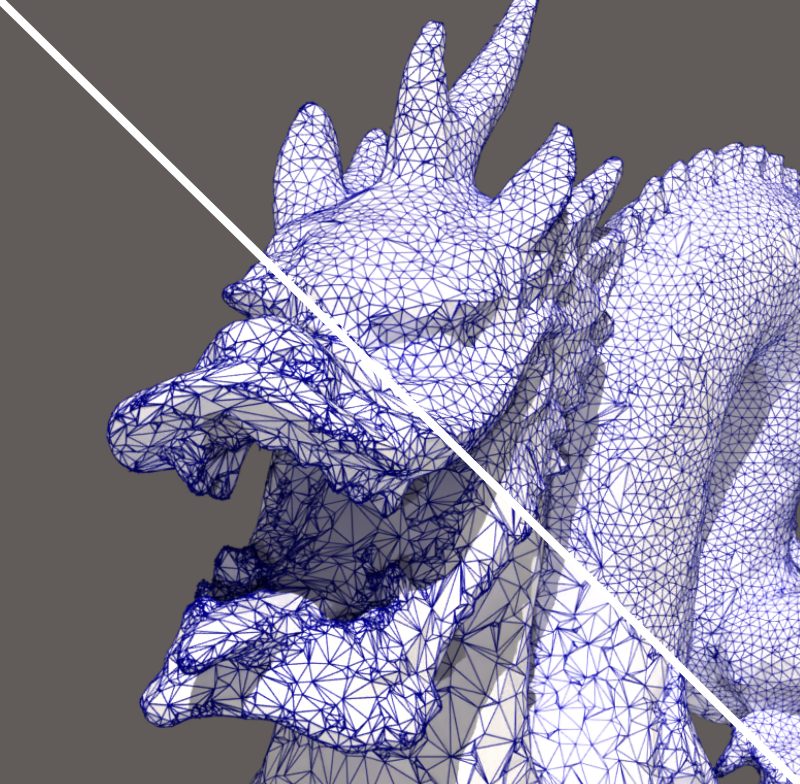
Isotropic Remesher filter
Some VESPA Features
Poisson surface reconstruction
This famous reconstruction method allows retrieving a closed watertight surface mesh from a point cloud equipped with oriented normals. It internally works in an implicit space and solves a Poisson equation to solve for the indicator function whose gradient matches the input normals. If your point cloud has no normals, you can estimate them using the VESPA PCA Estimate Normals filter.
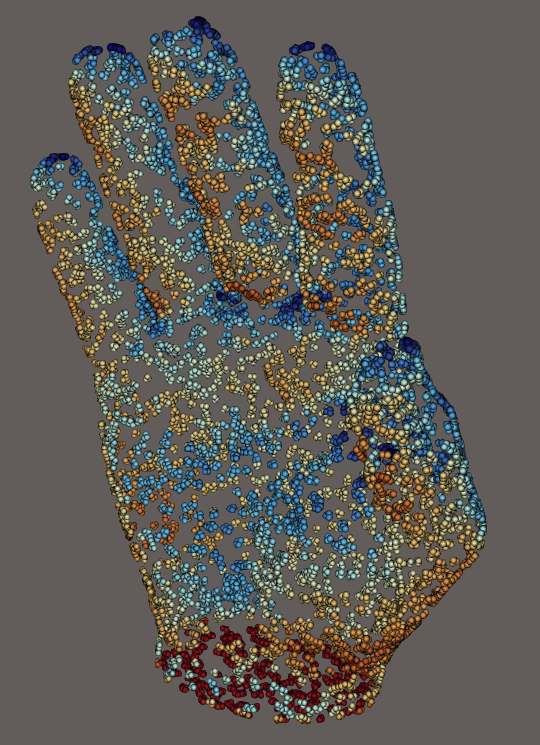
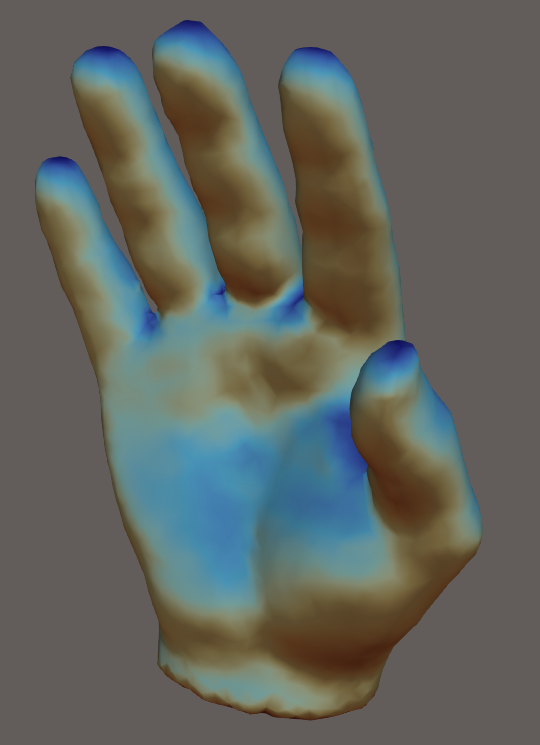
a) The input oriented point cloud; b) The Poisson surface reconstruction
Signed Distance Function
Speaking of implicit surface, the new Signed Distance Function filter transforms a close-meshed shape into an implicit surface. In VTK terms, you can transform a PolyData into an ImageData. Here, many operations or visualizations are simpler like convoluting your shape with a kernel, having a volumetric render of your object, resampling, etc. You can then reconstruct a mesh using the Contour filter. Choosing an isosurface value different from 0 allows you to grow or shrink the original mesh.
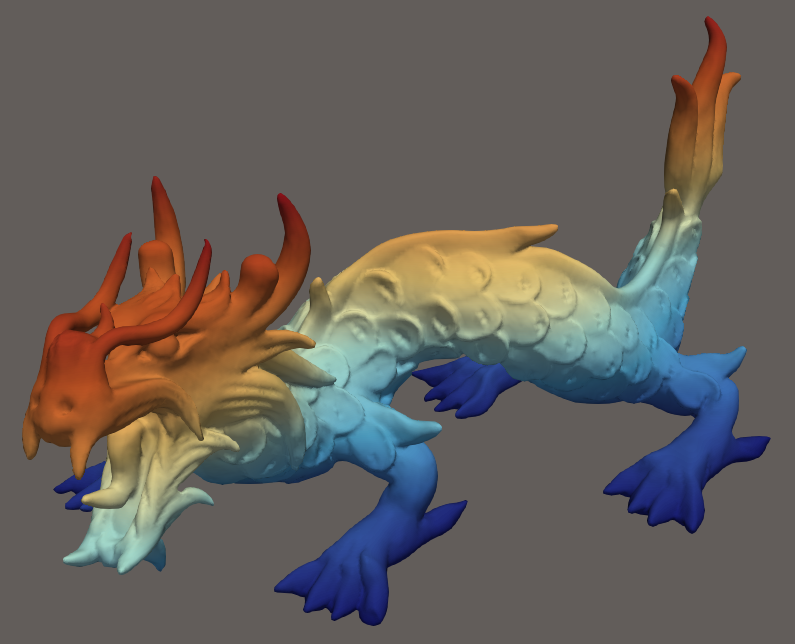
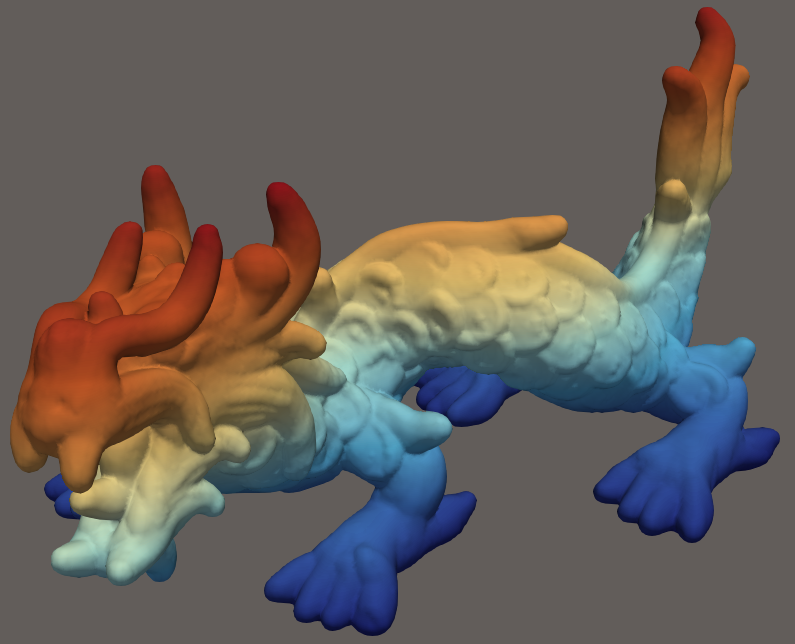
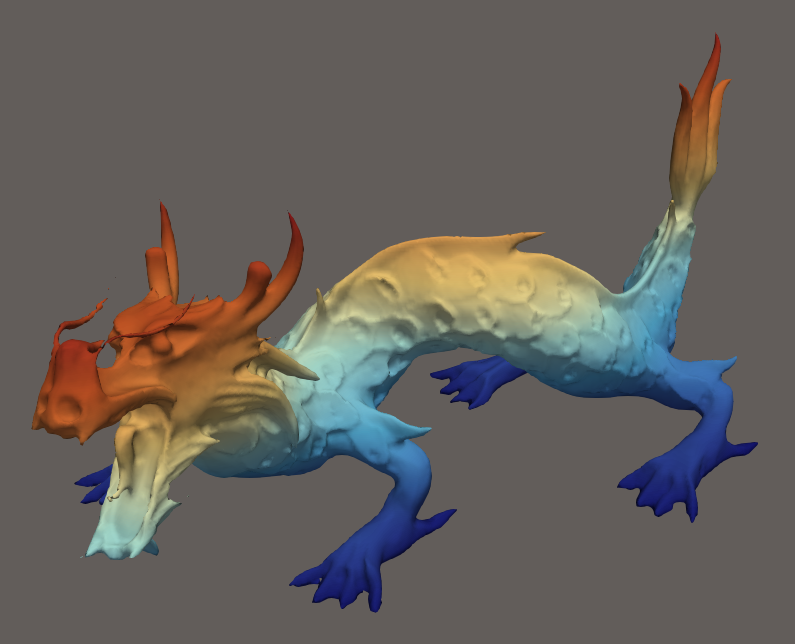
a) Initial mesh; b) Shape thickening by choosing an isovalue > 0; c) Shape shrinking by choosing an isovalue < 0
Mesh Deformation
This filter allows you to deform your mesh by anchoring some point while allowing the rest of the mesh to deform in an As-Rigid-As-Possible manner. This transformation preserves the fields on the geometry. This allows you to interactively edit your mesh and can be useful in shape-optimization workflows. This feature was also presented in our previous VESPA blog post.
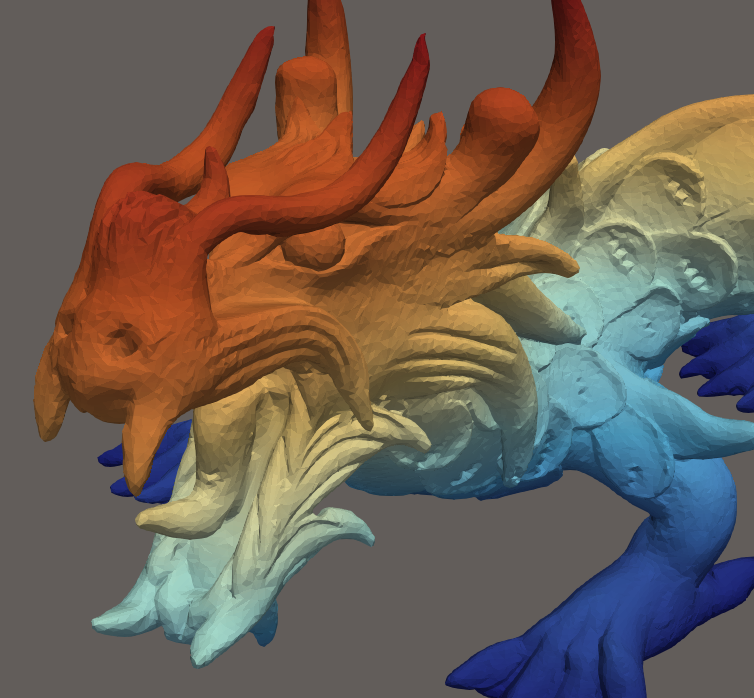
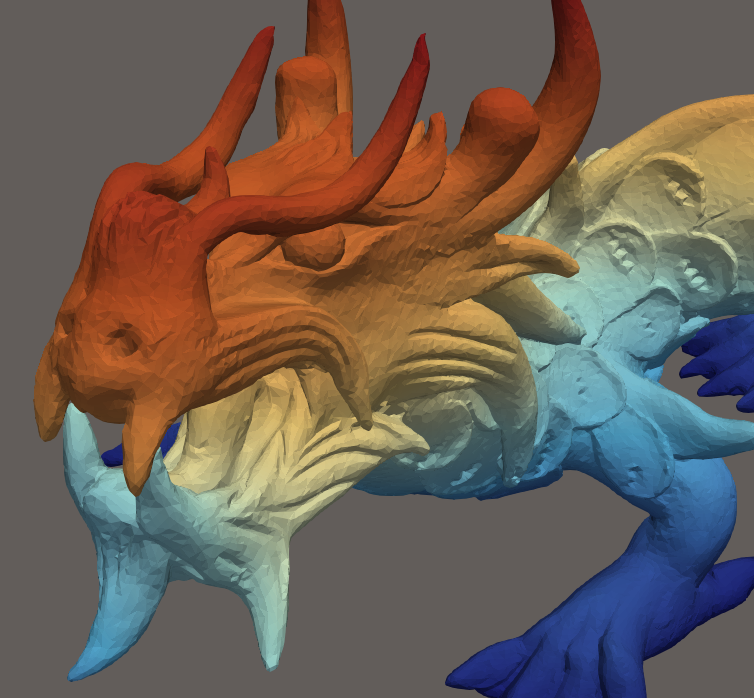
a) Initial mesh; b) Deformed mesh
Alpha Wrapping
Many applications require meshes referred to as valid, meaning they are watertight, intersection-free, orientable and 2-manifold. This filter takes as input any degenerate mesh or triangle soup or any random combination of edges, points and triangles, and wraps a valid mesh around it. This is parametrized by alpha which from a high level perspective, represents the target size of triangles and an offset around the input.
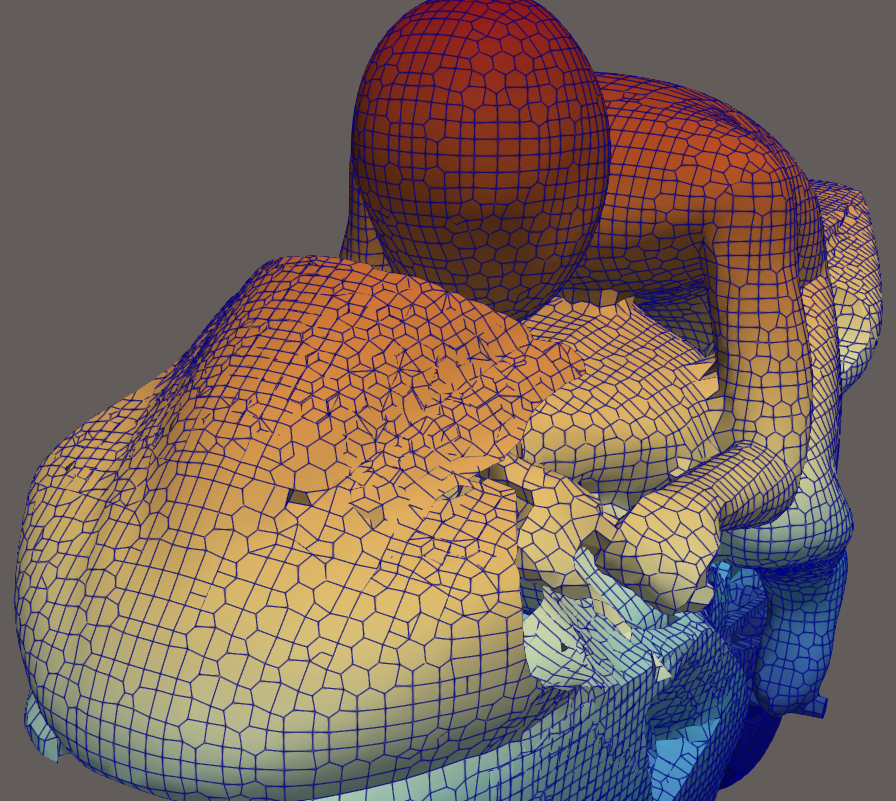
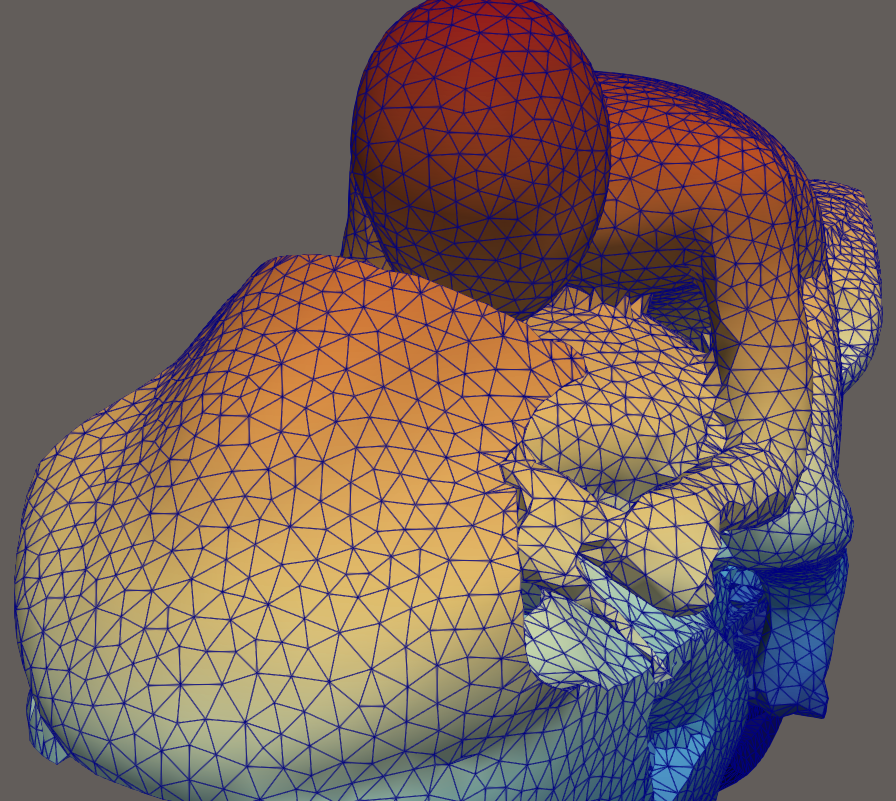
a) Input degenerated mesh; b) Alpha wrapped clean mesh
Looking ahead
With VESPA 1.0, we are taking an important step toward integrating geometry processing features into your visualization pipeline. By combining the strengths of VTK, ParaView, and CGAL, VESPA enables workflows that were previously complex or inaccessible.
That being said, a lot still needs to be done! Tons of CGAL algorithms are only waiting to be wrapped, and new ways to interact with the data are to be discovered.
External contributions are welcome to help with the project. Thanks to the existing filter implementations and helper utilities already available in the project, adding new algorithms and filters is relatively straightforward for developers interested in contributing. You can also contribute at the infrastructure level by helping support CGAL 6.0 and later, or by assisting with Windows binary releases.
Now is the perfect time to explore VESPA and help shape its future. For any questions about VESPA or getting help using the tool, do not hesitate to contact our team. We’ll be happy to help!