Simplifying Structural and Diffusion MRI Analysis with kwneuro
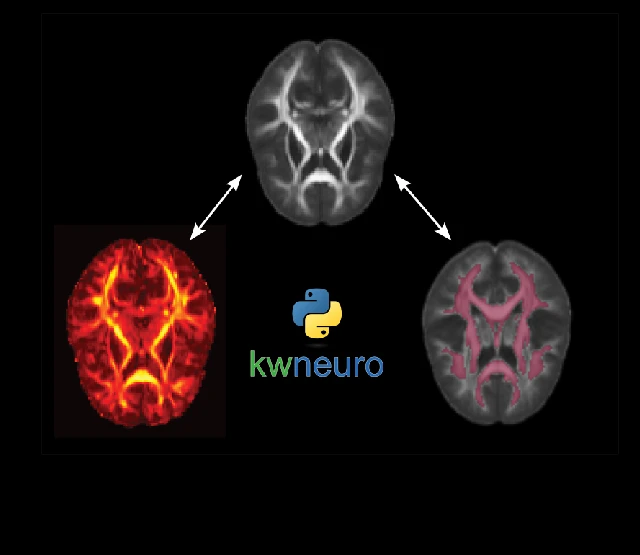
Structural and diffusion MRI analysis often requires researchers to work across several specialized software packages. Each can have its own formats, conventions, APIs, and system-level dependencies. Building and maintaining these environments can become especially challenging when analysis needs to move between local workstations, institutional HPC clusters, and cloud environments.
kwneuro has expanded to support a broader range of structural and diffusion MRI workflows. Since we first introduced the toolkit, we have added better examples and documentation as well as stronger support for structural neuroimaging. kwneuro now also supports workflows that combine structural and diffusion MRI, as well as caching for more easily restartable analyses.
Bringing Neuroimaging Methods Into One Toolkit
Diffusion MRI measures the motion of water molecules to probe brain structure. Water diffuses more easily along white matter tracts than across them. Researchers can use this directional information to study white matter organization and, through microstructure modeling, create maps of microanatomical parameters. Models such as diffusion tensor imaging (DTI) and neurite orientation dispersion and density imaging (NODDI) provide complementary measures of tissue structure and organization. Together, these methods can be used to investigate subtle white matter changes associated with development, aging, and disease.
kwneuro brings diffusion MRI analysis into a common Python environment, with complementary support for structural MRI, registration, template building, and group analysis. It works with standard NIfTI images and .bval and .bvec files. Researchers can use an individual processing step or build a restartable population-level structural or diffusion MRI pipeline.
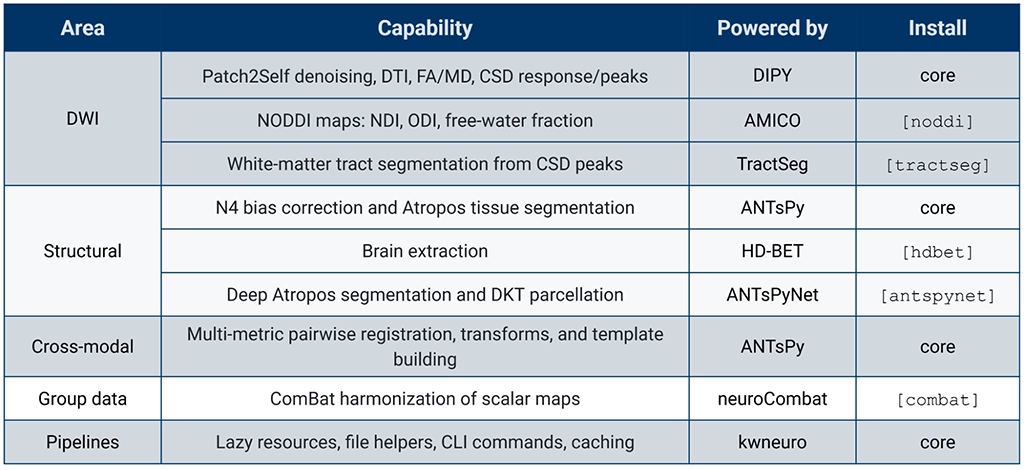
The toolkit is built on DIPY, ANTsPy, AMICO, HD-BET, TractSeg, ANTsPyNet, and neuroCombat. It supports methods for DWI processing and microstructure analysis as well as structural MRI-based anatomical segmentation. Researchers can also perform registration, template building, and harmonization of scalar maps to align data across subjects for group analysis. kwneuro also includes file helpers, command-line tools, lazy resources, and caching support to facilitate the development of analysis pipelines.
Use kwneuro in Python or 3D Slicer
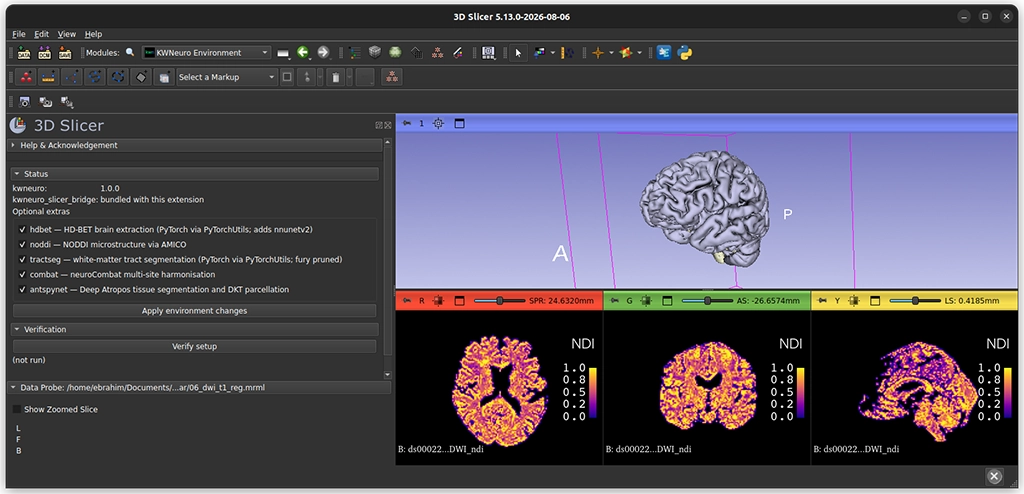
Researchers can use kwneuro directly in Python or through its command-line interface. The SlicerKWNeuro extension also makes the toolkit available through 3D Slicer.
Interactive tutorials provide a starting point for implementing different types of workflows. Researchers can follow an example DWI microstructure pipeline for a single subject, combine T1 and DWI data for region-level analysis, or work through tutorials covering population templates and multi-site harmonization.
kwneuro can also be extended with custom processing steps. Developers can write typed Python functions that use kwneuro resources while preserving image arrays and spatial metadata. Results can be cached for reuse with the same inputs and parameters. File-based tools can also be incorporated using temporary NIfTI inputs and explicit outputs.
Applying kwneuro to Neuroimaging Research
A scientific tutorial demonstrates how kwneuro can be applied to a specific neuroimaging research question, using diffusion MRI data from the Adolescent Brain and Cognitive Development (ABCD) Study. The analysis examined psychotic-like experiences (PLEs), asking whether white matter microstructural metrics differ between adolescents on a persistent-distressing PLE trajectory and those on a normative trajectory.
The example demonstrates how methods available through kwneuro can be brought together to investigate clinically relevant questions using real-world neuroimaging data.
Watch kwneuro in Action
Kitware’s Ebrahim Ebrahim, Ph.D., and Sadhana Ravikumar, Ph.D., recently presented kwneuro and demonstrated how researchers can use and extend the toolkit.
Get Started with kwneuro
kwneuro is open source and available for researchers and developers who want to explore its capabilities or incorporate it into their own neuroimaging analysis.
- Explore kwneuro on GitHub
- Install kwneuro from PyPI
- Download the SlicerKWNeuro extension
- Explore the kwneuro tutorials
- Join the kwneuro discussions
If you are using kwneuro or have questions about applying it to your research, Kitware’s team would like to hear from you. Contact us to discuss your neuroimaging needs or opportunities to work with our experts.